
Bring Your Own AI Model (BYOM) for Salesforce - Complete Integration Guide
Last updated:
See BYOM inside Salesforce, bring any AI model
Run OpenAI, Claude, Gemini, or Llama inside your Salesforce org. 2-minute demo, no setup required.
A plain-English guide to connecting your preferred AI models, whether that's OpenAI, Anthropic Claude, Google, Meta Llama, DeepSeek, or others, directly to your Salesforce environment without vendor lock-in.
What?
A plain-English guide to connecting your preferred AI models, whether that's OpenAI, Anthropic Claude, Google, Meta Llama, DeepSeek, or others, directly to your Salesforce environment without vendor lock-in.
Who?
Salesforce Admins, Architects, IT Directors, and Business Leaders who want AI flexibility without rebuilding their infrastructure every time a better model comes along.
Why?
To future-proof your AI investment while maintaining security, compliance, and the freedom to switch models as your needs evolve.
→ Deploy the AI that fits your business today. Switch tomorrow without starting over.
What can you do with it?
- Model Flexibility: Connect to ChatGPT, Anthropic Claude, Google Vertex, Meta Llama, DeepSeek, Mistral, or Azure OpenAI, all through the same Salesforce interface
- Regional Compliance: Route data to AI providers in specific geographies to meet data residency requirements
- Cost Optimization: Switch between models based on use case complexity and pricing
- Agent Orchestration: Build AI agents that read Salesforce data, reason across objects, and take actions, not just answer questions
- Multi-Channel Deployment: Use the same AI logic across Salesforce UI, Slack, Teams, WhatsApp, and Copilot-style interfaces
What is Salesforce BYOM (Bring Your Own Model)?
BYOM in Salesforce means an enterprise can use its own chosen AI or LLM models inside Salesforce instead of being locked into a single vendor model.
Think of it this way: You own the brain. Salesforce is the nervous system.
With BYOM, a company can:
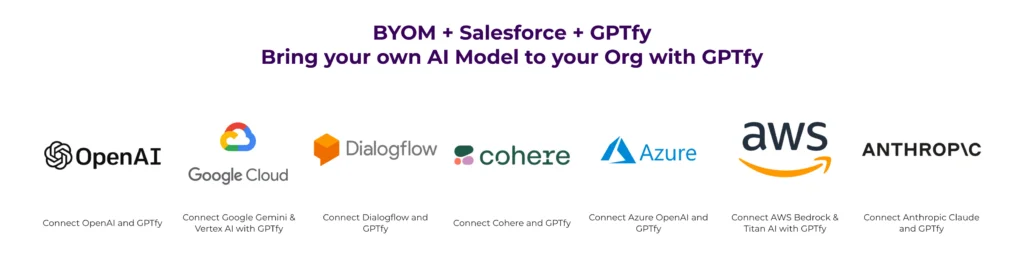
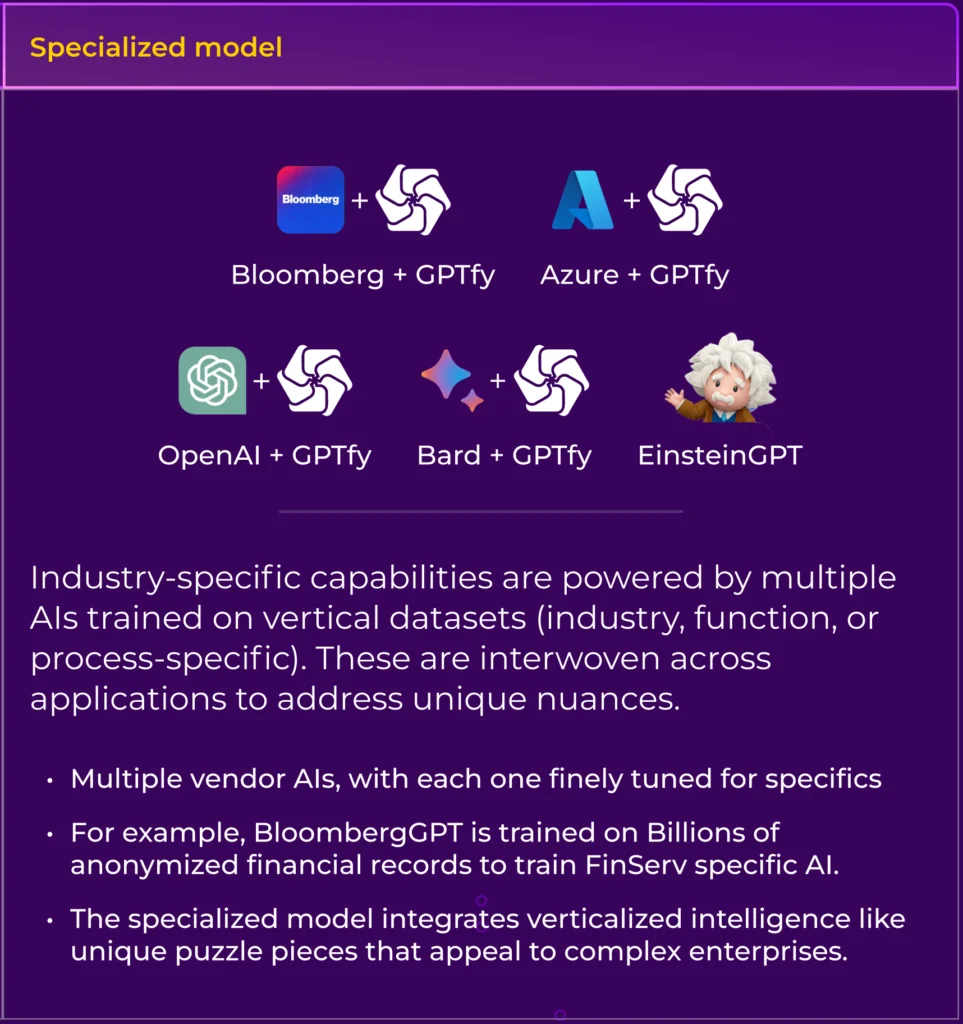
- Use Azure OpenAI, OpenAI, Anthropic, Google, Mistral, Llama, DeepSeek, and others
- Keep data residency and compliance under their control
- Switch or mix models based on cost, accuracy, or use case
- Apply enterprise security rules before any data touches a model
Salesforce provides the platform, objects, workflows, UI, automation, but the AI is yours.
Why Enterprises Actually Want BYOM (The Real Reasons)
Enterprises don't ask for BYOM because it's trendy. They ask because of hard business requirements that keep IT directors and compliance teams up at night.
1. Data Security & Compliance
Sensitive CRM data, PII, financials, contracts, health records, cannot be freely sent to third-party AI clouds. Enterprises need masking, redaction, audit trails, and regional control before any data leaves their environment.
A healthcare company can't just pipe patient information to an AI model hosted who-knows-where. A financial services firm has regulators asking pointed questions about where customer data gets processed.
2. Vendor Independence
No one wants to spend six months integrating an AI model only to discover the provider tripled their pricing. Or that a competitor's model now performs 40% better for your specific use case.
BYOM means no lock-in. When the next breakthrough model drops, you connect it in hours, not months.
3. Different Models for Different Jobs
Not every task needs GPT-4. Sometimes a smaller, faster model handles summarization perfectly well. Sometimes you need a reasoning specialist like DeepSeek R1 for complex analysis.
Smart enterprises route:
- One model for reasoning
- One for summarization
- One for data extraction
- One for structured output
4. Cost Control
AI costs add up fast at enterprise scale. Route expensive models only when the task demands it. Use economical options for routine work.
The math is simple: if 80% of your AI requests are straightforward summaries, why pay premium pricing for all of them?
The AI Model Lock-In Problem
Here's a situation that plays out repeatedly: You've spent six months integrating a specific AI model into your Salesforce org. Custom Apex code, specific prompts, security configurations, the works.
Then a new model comes out that's significantly better at your specific use case. Or your current provider changes their pricing. Or new compliance requirements mean you need a model hosted in a different region.
With traditional AI integrations, you're looking at another multi-month project to switch. Your investment feels less like a strategic asset and more like a trap.
This is the problem BYOM architecture solves. But having the theoretical ability to switch models is different from having a practical way to do it.
Where GPTfy Fits In
Salesforce by itself doesn't give you:
- Agent orchestration
- Prompt governance
- Secure data shaping
- Multi-model routing
- Enterprise-grade AI lifecycle management
GPTfy exists to make BYOM usable inside Salesforce, not just theoretically possible.
What Happens Without a Platform Like GPTfy
BYOM without proper tooling looks like this:
- Custom Apex everywhere
- Hardcoded prompts scattered across Flows and triggers
- No visibility into what AI did or why
- No governance over who can create prompts
- Security review nightmares
What Happens With GPTfy
AI becomes a managed layer inside Salesforce:
- Admins, architects, and security teams stay in control
- Business users get AI without touching code
- Every AI interaction is logged and auditable
- Prompts are governed, versioned, and approved
How GPTfy Enables Salesforce BYOM (Step by Step)

1. Model Abstraction (True BYOM)
GPTfy lets enterprises plug in their own LLMs, their own endpoints, and their own credentials. Salesforce never talks directly to the model, GPTfy acts as the secure control layer.
When you set up an AI model in GPTfy, you're creating a connection profile:
Model Name: Azure OpenAI GPT-4
Platform: Azure OpenAI
Named Credential: AzureOpenAI_Production
AI Technology: GPT-4
Type: Chat
Temperature: 0.1
Max Tokens: 2000
This profile lives separately from your prompts and business logic. Your "Account Summary" prompt doesn't know or care whether it's talking to GPT-4 or Claude, it just knows it needs an AI response.
2. Secure Data Context Mapping
Before data reaches any AI model:
- Salesforce objects are selected deliberately
- Fields are filtered, masked, or redacted
- Context is scoped (Account, Opportunity, Case, related objects)
This prevents:
- Over-sharing data
- Accidental PII leakage
- Compliance violations
Your security configurations, data masking, PII protection, audit trails, apply regardless of which model you're using. Switch models? Your security posture stays exactly the same.
3. Prompt Governance & Versioning
Enterprises need approved prompts, version control, and auditability. No rogue prompts in random Flows or Apex.
GPTfy provides:
- Central prompt management
- Object-aware prompt templates
- Reusable, governed prompts across teams
Your prompts are model-agnostic. The same "Case Summary" or "Lead Scoring" prompt works across providers. You might tune temperature settings differently for each model, but the core prompt logic remains unchanged.
4. Agent Orchestration Inside Salesforce
This is where BYOM gets interesting. GPTfy allows you to build AI agents, not just single prompts.
Agents can:
- Read Salesforce data across multiple objects
- Reason across relationships
- Take actions (create tasks, update fields, recommend next steps)
- Work across Sales, Service, RevOps, and Compliance
All inside the Salesforce org, respecting permissions and field-level security.
5. Multi-Channel Execution
Those same agents can be used from:
- Salesforce UI
- Slack
- Microsoft Teams
- Copilot-style interfaces
Without duplicating logic or prompts. Build once, deploy everywhere.
6. Enterprise Controls & Observability
GPTfy adds what enterprises demand for production AI:
- Logging of every AI interaction
- Traceability from request to response
- Response storage for review and audit
- Model usage tracking for cost allocation
- Security review readiness
This is critical for AppExchange security reviews, SOC 2 compliance, GDPR requirements, and internal audits. When someone asks "what did the AI do with that customer data?", you have an answer.
Real-World BYOM Scenarios
Scenario 1: The Regional Compliance Challenge
A financial services company operates across the US and EU. GDPR requires that EU customer data stays in Europe during processing.
With BYOM through GPTfy, they configure two AI connections:
- Azure OpenAI (West Europe region) for EU customers
- OpenAI (US) for North American customers
GPTfy routes requests based on the customer's region. Same prompts, same security, different geographic processing.
Scenario 2: The Cost Optimization Play
A high-volume support team processes thousands of case summaries daily. They discover that for straightforward summarization, a smaller model produces nearly identical results at 30% of the cost.
With BYOM, they route simple summaries to the economical model while keeping complex analysis on the more capable (and expensive) one. No code changes, just configuration.
Scenario 3: The New Model Evaluation
DeepSeek R1 launches with impressive reasoning capabilities. Within hours of availability on Azure, the team connects it to their Salesforce environment.
They run the same prompts through both their existing model and DeepSeek, comparing results side-by-side. If DeepSeek performs better for specific use cases, they switch those prompts over. If not, they've lost nothing but a few hours of testing.
Scenario 4: The Multi-Model Strategy
A sales organization implements different models for different tasks:
- A fast, economical model for routine lead summaries
- A reasoning-focused model for complex opportunity analysis
- A specialized model for contract review and extraction
All three work within the same GPTfy framework, sharing security policies and audit infrastructure.
Connecting a New AI Model: The Process
Let's say you want to add Meta's Llama model to your Salesforce org. Here's what that looks like:
Step 1: Set Up the Connection
Access your GPTfy cockpit, navigate to AI Models, and create a new configuration. You'll need:
- The REST endpoint for your Llama deployment (likely on AWS or Azure)
- Named Credentials for secure API key management
- Basic model parameters (temperature, max tokens, etc.)
Step 2: Link to Your Prompts
Open any existing prompt and select the new Llama model from the dropdown. That's it, the prompt now uses Llama instead of whatever it was using before.
Step 3: Test and Validate
Run the prompt against a few test records. Review the outputs. Adjust temperature or other parameters if needed.
The whole process takes less than an hour for someone familiar with the system.
The Security Architecture
"But wait," you might ask, "doesn't connecting to multiple AI providers create more security risk?"
Actually, the opposite. BYOM with a proper abstraction layer means:
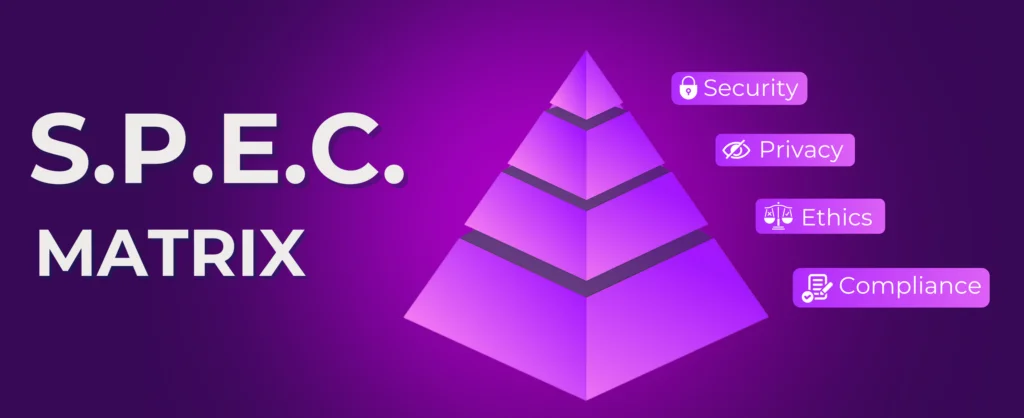
- Centralized Security Controls: Your data masking, PII protection, and audit logging happen in one place, before data ever leaves Salesforce. Add a new model? Same security applies automatically.
- Credential Management: API keys live in Salesforce Named Credentials, not scattered across custom code. Rotate a key? One place to update.
- Audit Consistency: Every AI interaction, regardless of which model handled it, generates the same audit record format. Your compliance team gets one consistent view.
- No Direct API Exposure: Users never interact with AI APIs directly. Everything flows through GPTfy's security layer.
Simple Way to Think About It
Salesforce gives you:
- Data
- Workflow
- UI
- Automation
BYOM gives you:
- Freedom to choose AI models
GPTfy gives you:
- Control
- Security
- Governance
- Real agents, not demos
What BYOM Isn't
Let's be clear about limitations:
- It's not magic model translation. Different models have different strengths. A prompt optimized for GPT-4 might need tuning for Claude or Llama. BYOM makes switching easy, it doesn't make switching invisible.
- It's not automatic compliance. BYOM helps with data residency by letting you choose where data is processed. But you still need to configure those choices correctly and understand your compliance requirements.
- It's not cost-free. Each AI provider charges for usage. BYOM doesn't eliminate those costs, it gives you flexibility to optimize them.
Getting Started with BYOM
If you're evaluating AI for Salesforce, here's what to consider:
- Start with your use cases, not your model preference. What problems are you solving? Different models excel at different tasks.
- Plan for change. The AI landscape shifts monthly. Build flexibility into your architecture from day one.
- Centralize security from the start. Don't scatter masking logic and credentials across multiple integrations.
- Think agents, not just prompts. Single prompts are useful. Agents that can reason and act across your Salesforce data are transformational.
- Document your prompts. When you switch models, you'll want to know exactly what each prompt does and why.
TL;DR / Summary
Salesforce BYOM lets enterprises bring their own AI models, and GPTfy is the platform that makes those models usable, secure, governed, and agent-driven inside Salesforce.
With GPTfy, you can:
- Connect any major AI model through declarative configuration
- Maintain consistent security controls across all providers
- Build AI agents that reason and act across Salesforce objects
- Deploy the same AI logic across multiple channels
- Switch models in hours instead of months
- Keep compliance and security teams happy with full auditability
The AI model that's best for your business today might not be best tomorrow. BYOM ensures you're never locked into yesterday's decision.
Ready to try it? Book a demo
Want to learn more?
View the Datasheet
Get the full product overview with architecture details, security specs, and pricing, with a built-in print option.
Watch a 2-Minute Demo
See GPTfy in action inside Salesforce - from prompt configuration to AI-generated output in real time.
Ready to see it with your data? Book a Demo
Explore GPTfy