
AI Email Sidebar. Never Leave Your Inbox.
Log emails, view account context, and draft AI follow-ups through your Gmail or Outlook sidebar using GPTfy's browser extension with Named Credentials
Last updated:
50-70%of contacts reps interact with via email do not exist in CRM at all (Clari, 200M emails analyzed)
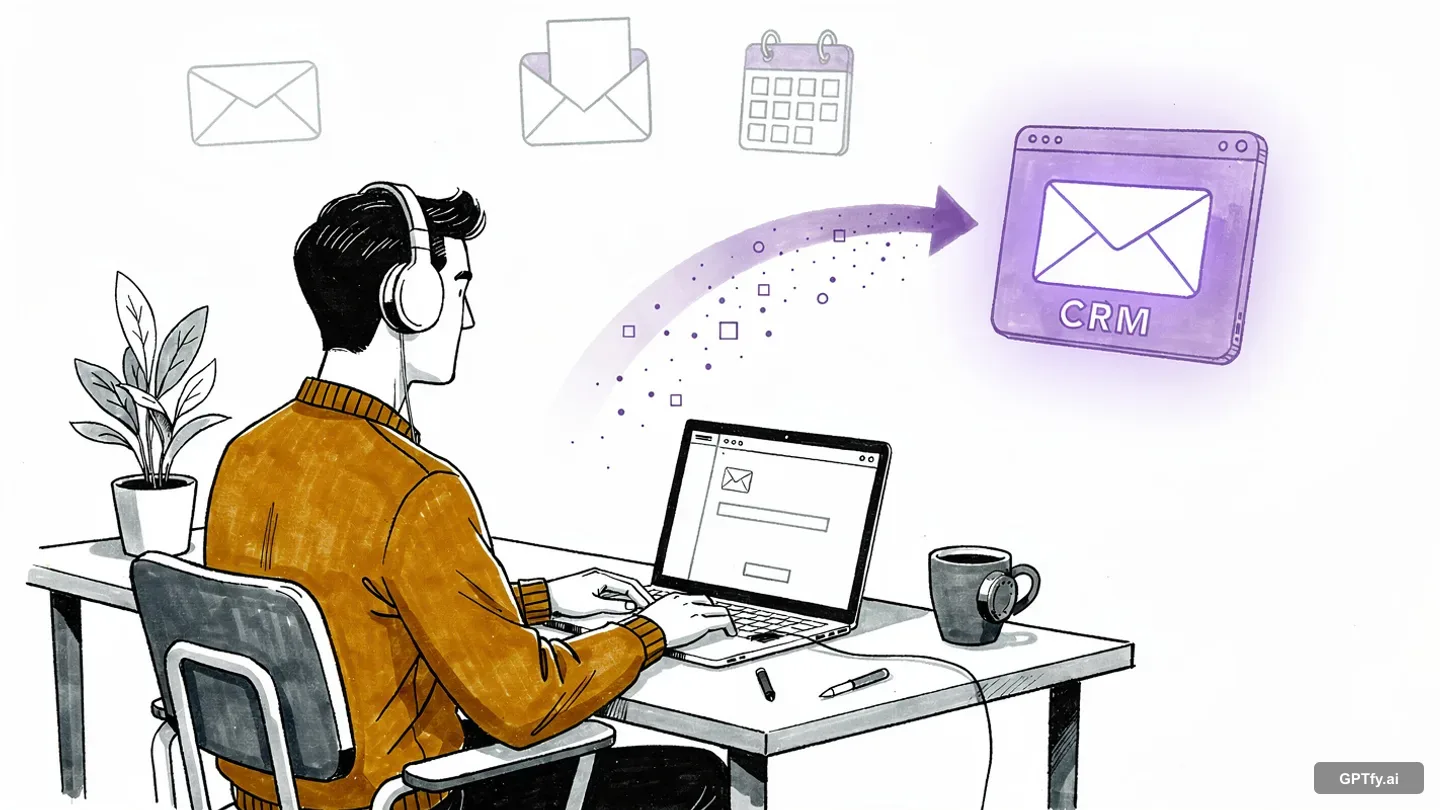
See GPTfy log emails and draft follow-ups inside Gmail and Outlook, live
One click in the sidebar, email logged to Salesforce, follow-up drafted with CRM context. 2-minute demo.
Your reps lose switching apps 2+ hours daily
Every tab switch from Gmail or Outlook to Salesforce breaks focus. Most reps stop logging emails altogether, leaving your pipeline data incomplete.
Per day that should be logged in Salesforce
Reps tab between their inbox and CRM dozens of times per day. Each context switch takes 30-60 seconds - multiplied across a team, that is hours of lost selling time.
“Really nice App. It does what it claims. Pre-packaged prompts make it easy to use.”
- Shailesh Varshney, Developer, Capgemini Australia
Build prompts with Gmail and OutlookWhen drafting follow-up emails
Reps write follow-ups from memory because checking Salesforce account history means opening another tab. Without CRM context, emails are generic and miss deal-specific details.
“Found the deployment to be easy. Just took me 10 minutes. Pre-configured prompts and the complimentary Open AI connection helped me test this App quick.”
- Salman Khan, Release Manager, IBM
Accelerate deals with Salesforce directly into the sidebarSaved per week with AI email composition
Reps spend 8+ hours per week manually composing follow-up emails, re-reading old threads for context, and copying deal details from Salesforce into drafts. That is a full working day lost to email admin instead of selling.
“Liked the easy and click/no-code way to configure GPT LLMs on any Salesforce object and go-live in days.”
- Gurditta Garg, Chief Salesforce Evangelist, Motorola
Secure this with Security LayerReps Spend 2+ Hours Daily Switching Apps
Context Switching Kills Productivity
Every inbox-to-CRM tab switch breaks focus. 40-60 emails/day means hours lost. See the AI email generation demo .
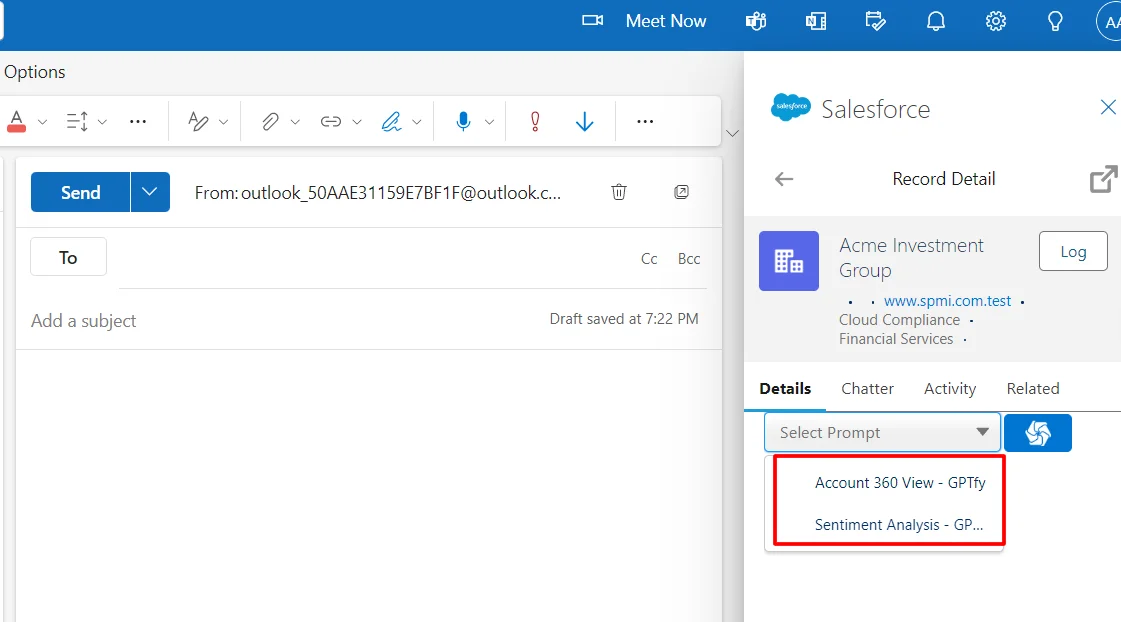
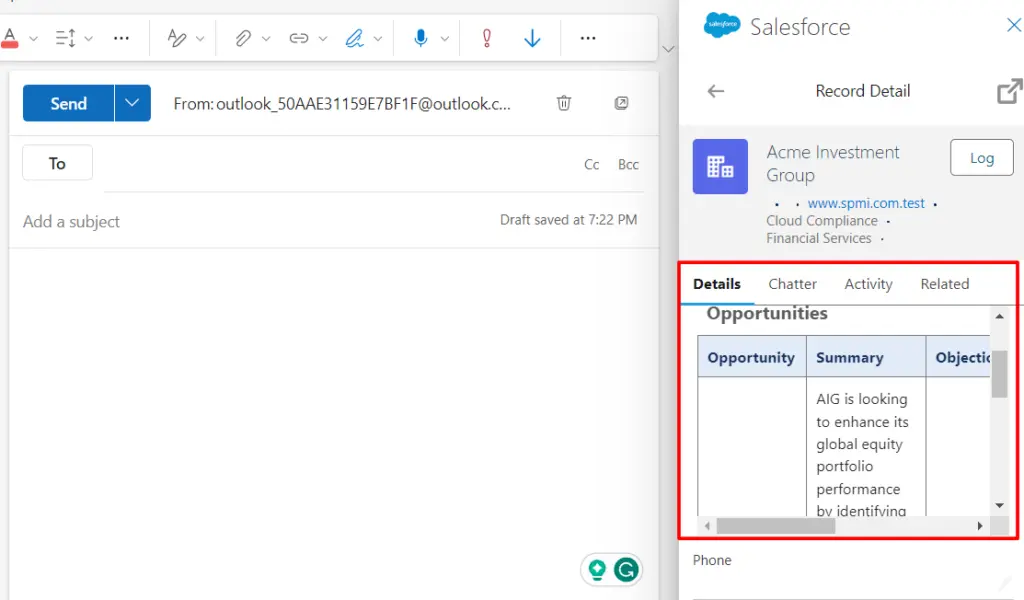
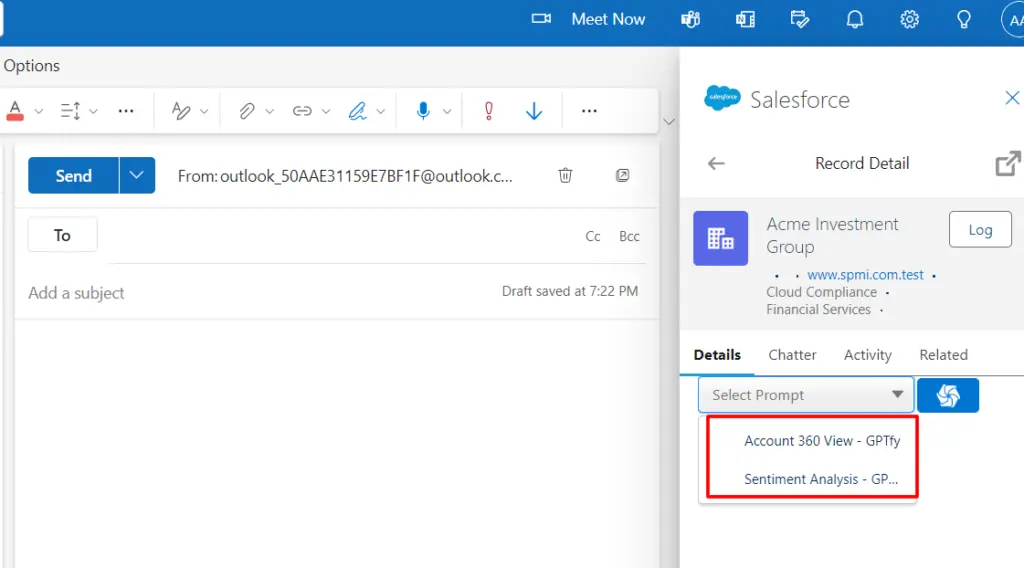
Sidebar Surfaces Salesforce Context
Full Salesforce context in your inbox sidebar. Log emails with one click and generate AI follow-ups via Prompt Builder .
Service Teams Resolve Cases
Responses Grounded in Case History
AI drafts responses grounded in the full case timeline: past tickets, account notes, and knowledge articles. Watch the follow-up automation demo .
One-Click Case Creation
Create cases or update records directly from email threads. See the pre-meeting prep demo for context surfacing.
Deploy in 15 Minutes
Marketplace Install via OAuth
Install from AppSource or Workspace Marketplace. Connect via OAuth 2.0 with no Apex and no Connected Apps to configure.
Permission-Based Access
Inherits Salesforce permissions with PII masking via the Security Layer . Every AI interaction is audit-logged. Works alongside Microsoft Copilot for M365 workflows.
Why Choose Gmail & Outlook Plugin
Log Emails in One Click From Gmail or Outlook
Reps click once to associate an email with a Salesforce record. GPTfy auto-maps contacts, accounts, and opportunities - no manual lookup required.
Generate AI Follow-Ups Using Salesforce Context
GPTfy's prompt engine drafts follow-up emails grounded in the account's open opportunities, recent cases, and contact history - not generic templates.
View Full Account Timeline While Composing
The sidebar shows the complete Salesforce record - pipeline stage, last activity date, case status - so reps write informed emails without switching tabs.
Powerful Capabilities
AI Email Composition via Prompt Engine
GPTfy generates context-aware email drafts with account-specific details. See the lead email demo.
One-Click Record Creation
Create contacts, log activities, or open cases directly from the email thread. Field mappings follow your GPTfy Prompt Builder configuration.
Real-Time Salesforce Sidebar
View account details, opportunity stages, case statuses, and recent activities in a live sidebar panel that updates as you navigate emails.
AI-Powered Email Classification
GPTfy analyzes incoming emails to suggest case categorization, priority, and routing based on your AI prompt rules and historical patterns.
Key Takeaways
- Log emails to Salesforce records with one click from Gmail or Outlook. Auto-maps contacts, accounts, and opportunities.
- AI drafts follow-up emails grounded in account pipeline stage, recent cases, and contact history via the prompt engine.
- Sidebar displays full Salesforce record context including opportunities, case statuses, and last activity dates.
- Install from AppSource or Google Workspace Marketplace and connect via OAuth 2.0 in under 15 minutes.
- Inherits Salesforce permission sets and field-level security with PII masking via the Security Layer on AI drafts.
Frequently Asked Questions
The plugin can be set up in under 15 minutes with no custom code required. Simply install it from the Microsoft or Google Workspace marketplaces and connect it to your Salesforce org using secure OAuth authentication. The system uses your existing Salesforce permission sets to ensure compliance with your security requirements.
The AI email composition feature generates personalized emails based on your Salesforce data, past interactions, and business context. It can create contextual templates, draft responses, and generate follow-ups while maintaining your company's voice and tone. The system integrates directly with your email client, allowing you to compose, edit, and send emails without leaving your inbox.
The plugin provides real-time access to key Salesforce data including contact information, account history, past interactions, and case details. You can view relationship history, sentiment analysis, and account insights while reading or writing emails. The system also enables one-click creation and updates of Salesforce records, including contacts, opportunities, and cases, directly from your email client.
The plugin eliminates context switching by bringing Salesforce directly into your email client. Reps can log emails with one click, view account history and open opportunities in a sidebar, and generate AI-drafted follow-ups using GPTfy's prompt execution engine - all without tabbing out to Salesforce. This reduces manual CRM data entry and keeps teams focused on customer conversations.
The plugin inherits your Salesforce permission sets and field-level security, so users only see records they have access to. When GPTfy generates an AI-drafted email, the Security Layer masks PII in the prompt before it reaches the AI provider via Named Credentials. The generated draft appears in the plugin for human review before sending. Every AI-generated draft is logged as an AI Response record for compliance audit.
Yes. The plugin supports both individual and shared mailbox configurations. Service teams using shared inboxes can view Salesforce case context, create or update cases from incoming emails, and generate AI-drafted responses grounded in the full case history. Each user's Salesforce permissions determine which records they can view and update, ensuring proper access control even in shared mailbox environments.
Book a Demo
We will show you how reps log emails, generate AI follow-ups, and update Salesforce records without leaving their inbox - using your actual org data in a 30-minute demo.
Explore More Features
Demo: AI Email Generation
Watch AI draft personalized emails from Salesforce data
Demo: Automate Follow-Ups
See AI generate context-aware follow-up emails
Outlook Email Sync
Server-side Outlook and Exchange email sync for Salesforce via Microsoft Graph API.
Microsoft Copilot
Salesforce data inside Copilot across Word, Excel, PowerPoint, Teams, and Outlook.
Teams + Salesforce Integration
Surface Salesforce data in Microsoft Teams channels for the whole org.
Voice Notes
Transcribe call notes into CRM alongside email logging
AI for Sales
Complete AI automation for Sales Cloud reps
Prompt Builder
Build the prompts that power AI email drafting
Gmail email sync
Two-way Gmail ↔ Salesforce sync.