Copilot + Salesforce: Three Integration Approaches Compared
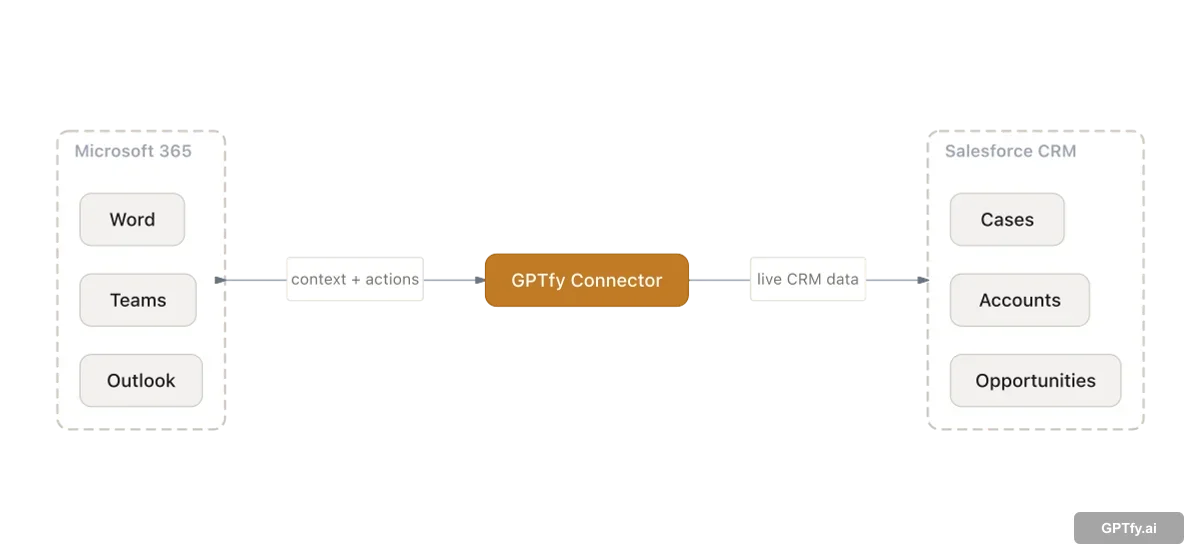
Compare Microsoft Graph Connector, Copilot Studio, and GPTfy's native extension.
Read GuideType
Function
Whitepapers and definitional guides for implementing AI in Salesforce.
Compare Microsoft Graph Connector, Copilot Studio, and GPTfy's native extension.
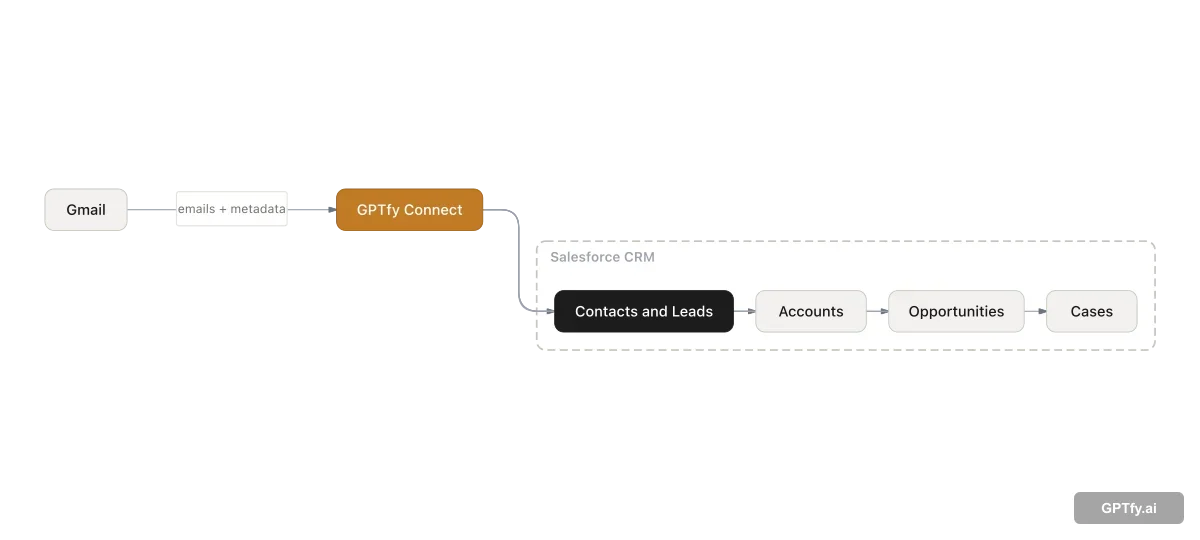
Read GuideGPTfy Connect syncs Gmail emails, Google Calendar events, and Google Tasks into Salesforce server-side.
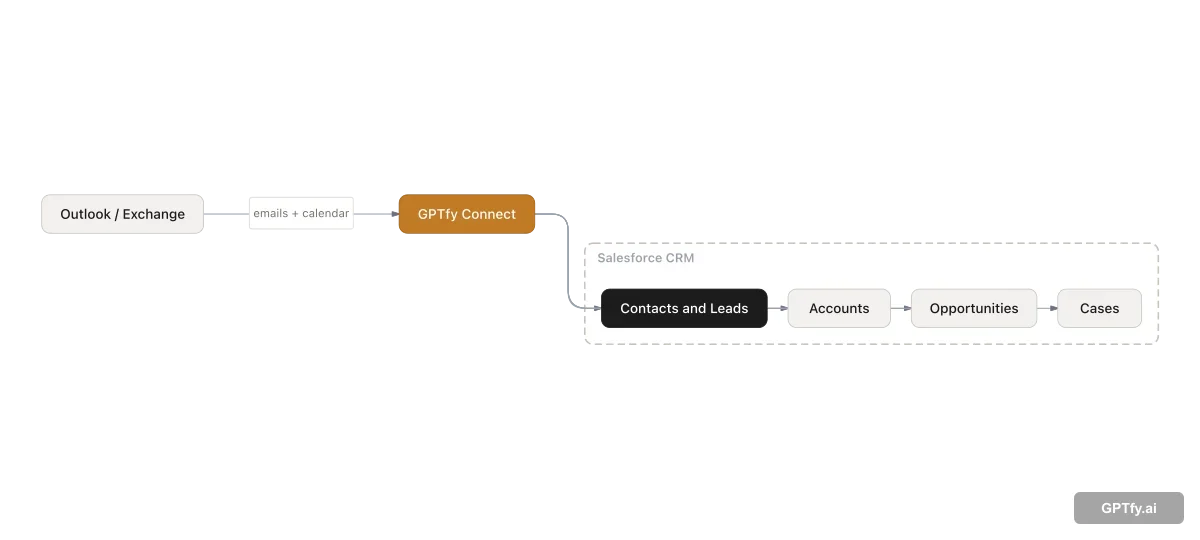
Read GuideGPTfy Connect syncs Outlook emails, calendar events, and tasks into Salesforce server-side.
Read GuideThought leadership on AI strategy, digital transformation trends, and the future of AI in enterprise CRM.
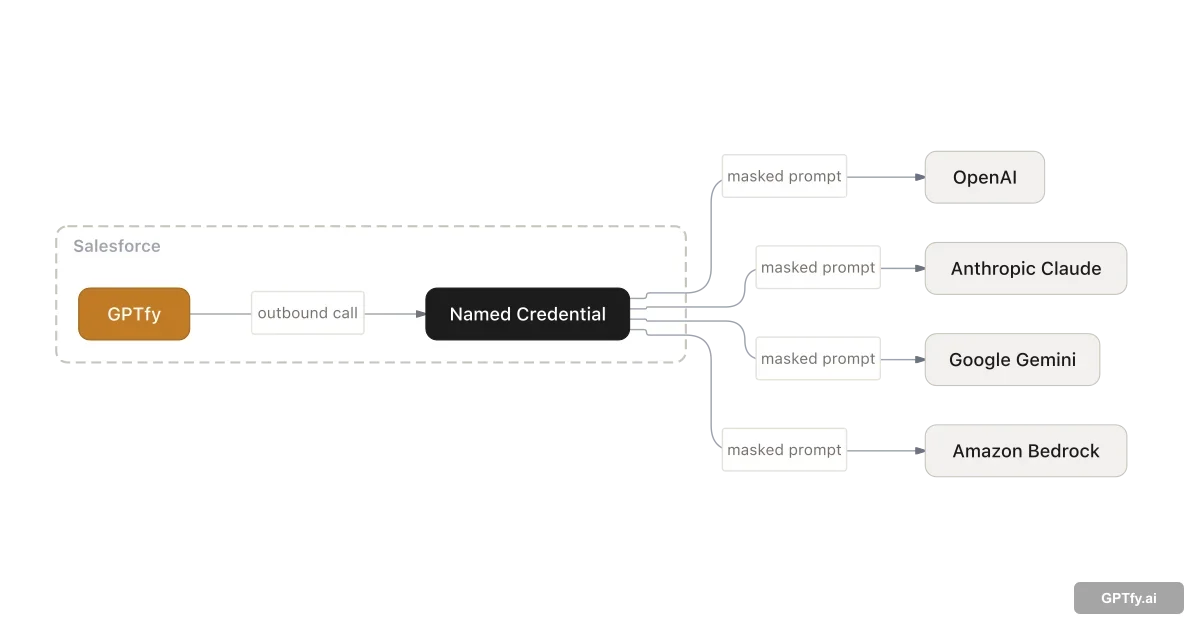
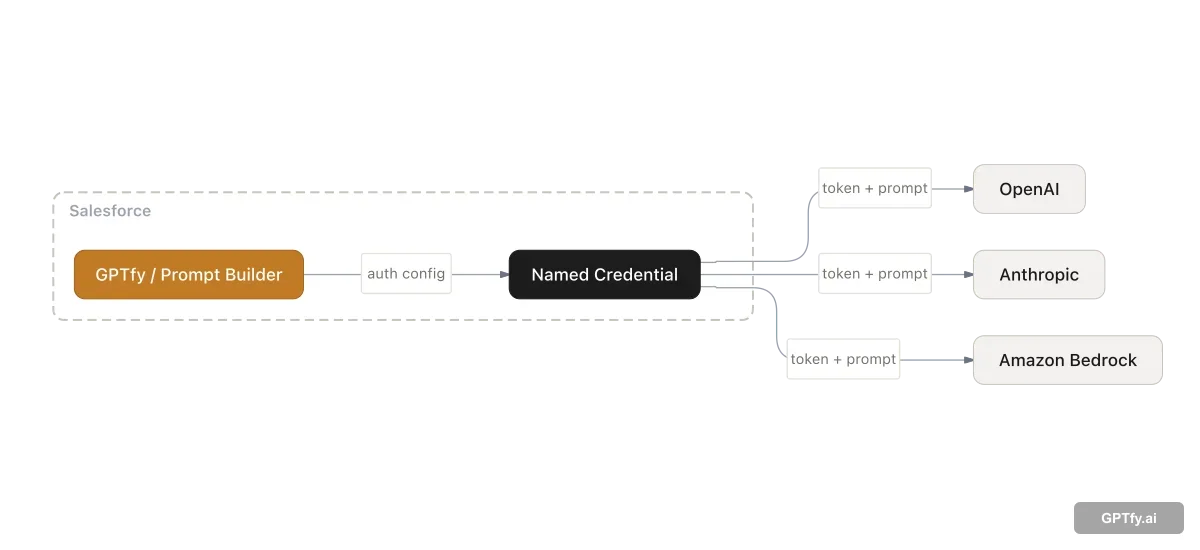
View PDFHow Bring Your Own Model works: Named Credentials, AI Model records, and Apex interfaces.
Read GuideHow Microsoft 365 Copilot requests governed Salesforce context via GPTfy.
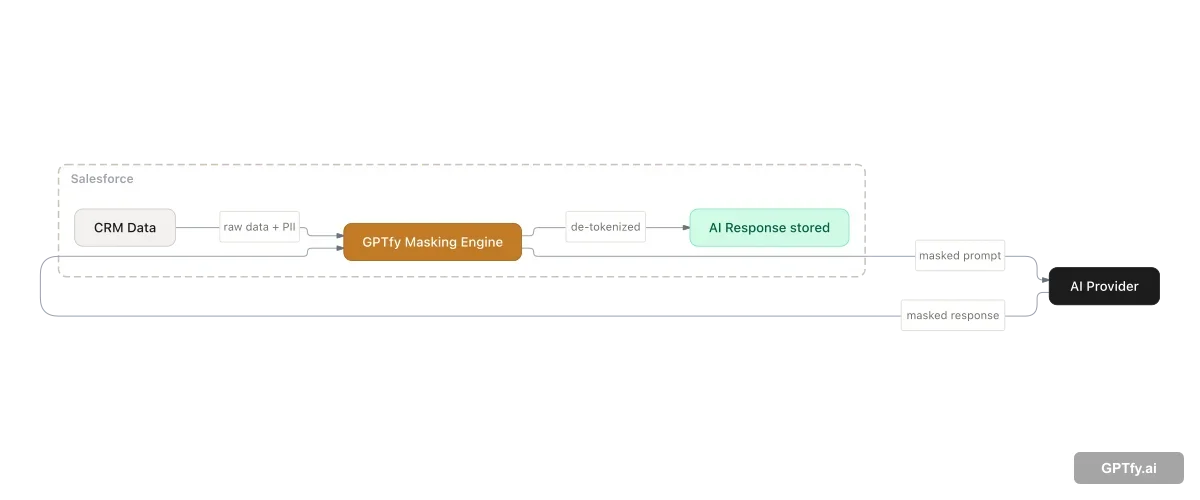
Read GuideFour-layer masking architecture keeps PII and PHI inside your Salesforce org.
Read GuideNamed Credentials are the Salesforce-native way to secure AI API callouts.
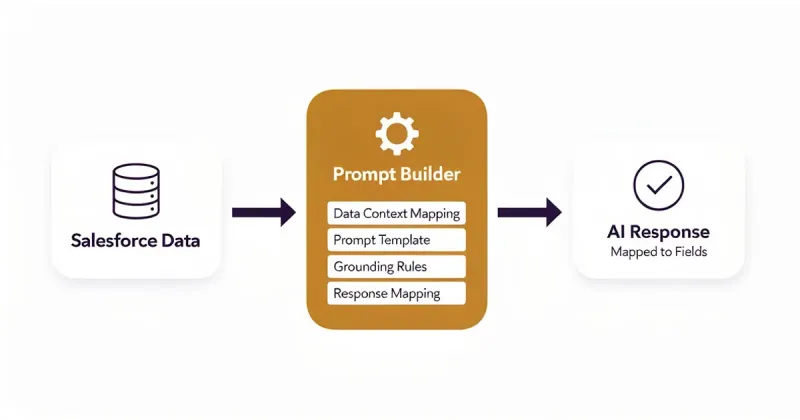
Read GuideCreate governed AI prompts without code; connect Salesforce data to any AI model.
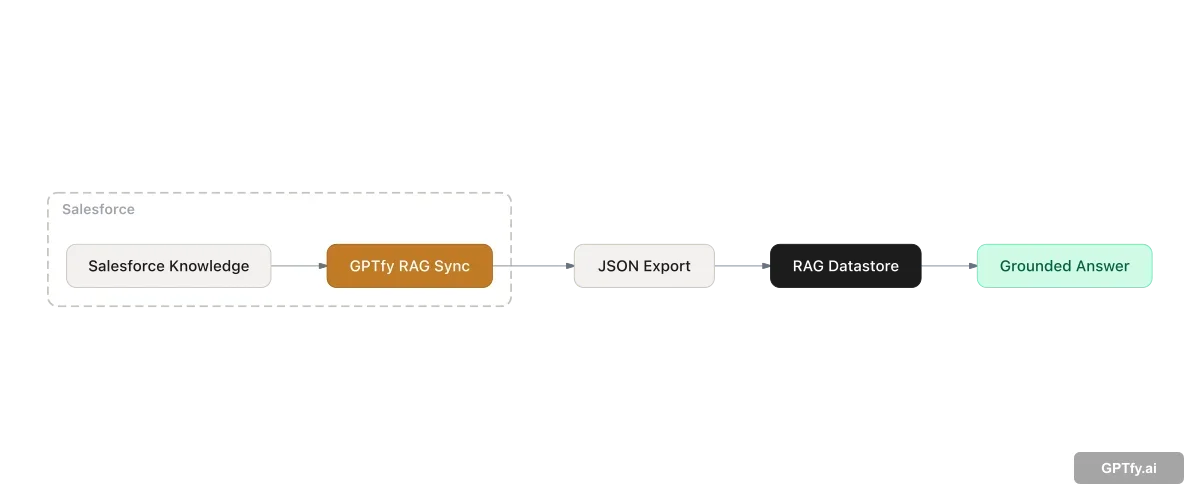
Read GuideHow Retrieval-Augmented Generation grounds AI answers in Salesforce Knowledge via automated RAG Sync.
Read GuideRoute AI prompts to different models based on use case, cost, and compliance.
Read GuideA comprehensive guide to agentic AI in Salesforce. Learn how autonomous AI agents differ from prompt-based AI, compare GPTfy Agents vs Agentforce, and discover use cases for sales, service, and compliance teams.
Read GuideCompare Bring Your Own Model (BYOM) with Einstein AI in Salesforce. Understand architecture differences, supported models (GPT-4, Claude, Gemini, Llama, DeepSeek), data residency controls, and total cost of ownership to choose the right AI strategy for your org.
Read GuideA complete guide to Retrieval-Augmented Generation (RAG) in Salesforce. Learn how GPTfy RAG Sync automates knowledge base indexing, how vector retrieval improves AI accuracy, and how to implement RAG for knowledge base search, case deflection, and deal intelligence — without Data 360.
Read GuideA complete guide to AI data masking in Salesforce. Learn how GPTfy's 4-layer masking architecture protects PII and PHI before data reaches any AI model — covering HIPAA (16 of 18 PHI identifiers), GDPR compliance, Named Credential security, Security Audit records, and a comparison with the Einstein Trust Layer approach.
Read GuideBook a 45-minute session and we will walk through any use case using your Salesforce org.
Book a DemoGPTfy's Use Case Guides are downloadable PDFs that walk through specific AI scenarios for Salesforce Clouds. The Sales Cloud Use Case Guide covers scenarios like Account 360, Deal Coach, Email Generation, Voice Notes, and Pre-Meeting Preparation. The Service Cloud Use Case Guide covers Case Summarization, Root Cause Analysis, Intelligent Routing, and Knowledge Article creation. The Health Cloud Guide covers patient intake, referral management, and care coordination use cases. A Financial Services Guide covers wealth management, insurance, and banking-specific scenarios. Each guide includes the business problem, the AI approach, and the expected outcomes.
GPTfy's datasheets have moved to a dedicated page at gptfy.ai/resources/datasheets. You will find 11 datasheets covering Sales Cloud, Service Cloud, Health Cloud, Financial Services Cloud, the platform overview, security and compliance (S.P.E.C.), ROI benchmarks, email sync, Microsoft Copilot, and ML lead scoring -- all ungated, no sign-up required.
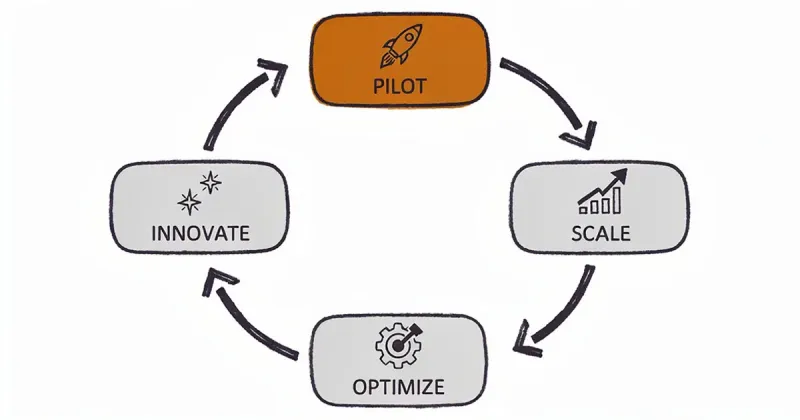
GPTfy's whitepapers cover enterprise AI strategy for Salesforce organizations. The AI Trust and Ethics whitepaper addresses responsible AI deployment - how to build governance frameworks, manage model bias, and ensure regulatory compliance in enterprise AI. These are written for senior leaders, architects, and compliance officers making strategic AI decisions. Strategy-focused whitepapers cover topics like how to move AI from pilot to production, building the business case for Salesforce AI investment, and managing the transition from rule-based automation to generative AI.
Security, IT, and compliance teams should start with the S.P.E.C. datasheet - it covers GPTfy's security architecture, data residency options, encryption standards, access controls, audit logging, and compliance certifications (SOC 2, GDPR, HIPAA-ready). The AI Trust and Ethics whitepaper is also relevant for governance and risk teams. Both documents are available as free PDF downloads - no sign-up required.
The ROI and Business Value datasheet is the best starting point for building a business case. It includes benchmark data on time savings (reps save 2–3 hours per day on admin tasks), cost reduction (30–40% reduction in case handle time for service teams), and revenue impact (faster ramp-up, higher win rates, improved renewal rates). Use the Sales or Service Cloud Use Case Guide alongside it to connect specific scenarios to your team's workflows. Together they give you the data and the narrative for an executive presentation.
Yes. Click the bookmark icon on any guide card to save it, then use the Copy Links button in the tray at the bottom of the page. This generates a formatted list of guide titles and PDF URLs you can paste into email, Slack, or a Confluence page. All PDFs are freely accessible - no login required - so anyone with the link can download directly.
Product datasheets for enterprise evaluation teams | ungated, no sign-up required.
Watch GPTfy in action with 40+ demos across Sales, Service, and Health Cloud.
Explore 24+ real-world AI use cases for Sales, Service, and Operations teams.
See GPTfy's full suite of AI capabilities for Salesforce.
Last updated: February 2026