
What Is AI Model Routing in Salesforce?
Route AI prompts to different models based on use case. Optimize costs, match capabilities to tasks, ensure compliance, and build redundancy - without managing multiple integrations.
Last updated:
The One-Size-Fits-All Problem
Most enterprise AI platforms force a binary choice: pick one model and use it for everything. It is the equivalent of using a sledgehammer for every task in your toolbox - it works, but it is expensive, slow, and often overkill.
A simple case summarization does not need the same reasoning power as a complex financial analysis. A quick email draft does not require the same model that should synthesize a prospect's SEC filings. Yet the dominant approach in enterprise AI today treats every AI task as if it demands the same engine, the same cost, and the same computational overhead.
This creates three problems:
1. Cost Inefficiency
Using GPT-4 for everything means overpaying for routine tasks. Complex models cost 10-50x more than smaller models, yet many tasks - email classification, simple data extraction, basic summarization - do not require that capability.
2. Capability Mismatch
The AI landscape is diversifying, not converging. Perplexity excels at financial research with SEC data. Claude handles long documents and nuanced instructions. Gemini offers multimodal strengths. Using one model everywhere means accepting suboptimal performance for many use cases.
3. Compliance Limitations
GDPR may require EU data to stay in the EU. HIPAA imposes strict geographic controls. A single global model endpoint cannot satisfy these requirements. Organizations need region-specific routing.
AI Model Routing solves this by matching prompts to the most appropriate model - optimizing for cost, capability, and compliance simultaneously.
AI Model Routing, Defined
AI Model Routing is the practice of directing different AI prompts to different large language models based on use case requirements, cost considerations, capability matching, or compliance needs.
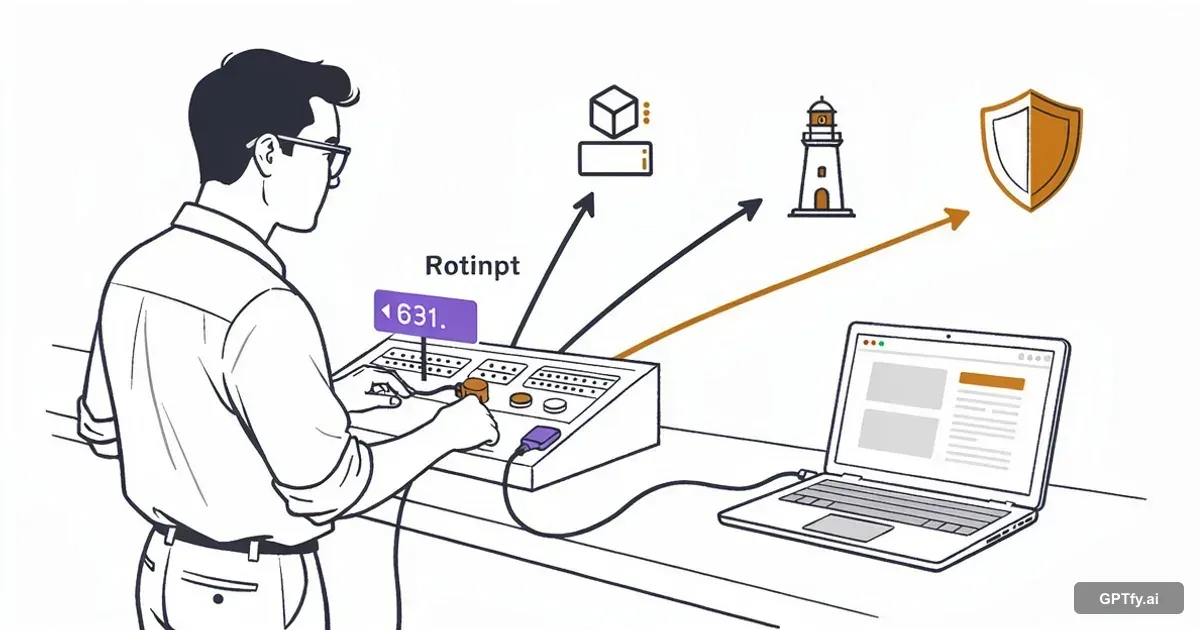
In GPTfy's architecture, the AI model is not a global setting applied uniformly across your org. It is a configuration on each individual prompt. When an administrator builds a prompt using GPTfy's Prompt Builder, they select which AI model powers that specific prompt. This means:
- A case summarization prompt can run on a fast, cost-effective model like GPT-4o Mini
- An opportunity scoring prompt can use a reasoning model like Claude or GPT-4o
- A financial research prompt can connect to Perplexity, trained on SEC EDGAR data
- A compliance-sensitive prompt can route to Azure OpenAI in Europe for GDPR-regulated data
This is not an abstract architectural concept. It is a practical, click-to-configure capability that admins control through GPTfy's Cockpit without writing code. Model routing is the operational core of GPTfy's BYOM capability - each model you connect becomes available for routing across any prompt in your org.
How Prompt-Level Model Selection Works
GPTfy's BYOM (Bring Your Own Model) framework is the foundation. Enterprises connect any AI model - OpenAI, Azure OpenAI, Anthropic Claude, Google Vertex/Gemini, AWS Bedrock, Grok, DeepSeek, Perplexity, or custom models - using secure Named Credentials in Salesforce. Each model connection uses its own Named Credential, so security policies and authentication are enforced independently per model - not shared across providers.
Step 1: Register AI Models
Each model is registered as an AI Model record in GPTfy's Cockpit, where admins configure connection details, temperature, token limits, and platform-specific parameters. Once activated, these models become available in Prompt Builder's model selection dropdown.
Step 2: Assign Models to Prompts
Every prompt - whether Text, JSON, Agentic, or Canvas - independently points to any activated model. There is no global override, no platform-level constraint. The model follows the prompt:
- "Deal Analysis" prompt - GPT-4 (complex reasoning)
- "Email Classification" prompt - GPT-4o Mini (fast, cheap)
- "SEC Research" prompt - Perplexity (financial data specialty)
- "EU Customer Summary" prompt - Azure OpenAI EU West (GDPR compliance)
Step 3: Execute with Automatic Routing
When a user clicks a prompt:
- GPTfy retrieves the Prompt Request configuration
- Identifies which AI Model is assigned
- Constructs the callout using that model's Named Credential
- Applies the same data masking and security regardless of model
- Returns the response through the same response mapping pipeline
Users never see which model runs - they get a consistent experience with optimal capability and cost for each task.
Changing Models (Future-Proofing)
When better models launch, switching is a configuration change - not re-architecture. Update the prompt's model association in the Cockpit. Your prompt logic, data context mappings, security layers, and automation actions remain untouched. No code changes. No regression testing. No vendor migration project.
This is the practical meaning of "no vendor lock-in" - you can change models for any individual use case at any time, with zero disruption.
Canvas Prompts: Multi-Model Orchestration
Canvas Prompts allow administrators to combine multiple prompt responses into a single, dashboard-style layout on any Salesforce record page. Each prompt element within a Canvas can point to a different AI model. This multi-model orchestration also powers GPTfy's agentic workflows, where different steps in a multi-step agent sequence can use different models - routing complex reasoning steps to capable models and simple data retrieval steps to fast, cheap ones.
Example: Account 360 View
Consider a financial services Account 360 view built with Canvas:
| Canvas Element | AI Model | Purpose |
|---|---|---|
| Account Summary | GPT-4o Mini | Fast, cheap overview of account basics |
| Financial Intelligence | Perplexity | SEC filings, earnings, competitive positioning |
| Strategic Analysis | Claude Opus | Deal risk, whitespace, next-best-actions |
The sales rep sees one unified view. Behind the scenes, three different models each do what they do best. The Canvas auto-refreshes at configured intervals. Every interaction is logged in GPTfy's Security Audit trail.
This multi-model orchestration is something monolithic AI platforms fundamentally cannot offer. When locked into a single model, you get that model's strengths and weaknesses across every use case. With GPTfy, you compose the optimal AI stack for each business need.
Access to Specialized AI Capabilities
The AI landscape is diversifying. Models are increasingly differentiated by what they do best:
Perplexity for Financial Research
Perplexity has been trained on SEC EDGAR data and excels at real-time web research. For financial services teams prospecting into publicly traded companies, a prompt connected to Perplexity generates a financial profile by pulling and analyzing quarterly filings, earnings calls, and competitive positioning - capabilities that a general-purpose LLM cannot match.
DeepSeek for Analytical Tasks
DeepSeek offers strong reasoning capabilities at a compelling price point for analytical workloads. Ideal for data analysis, pattern recognition, and structured reasoning tasks.
Google Gemini for Multimodal Use Cases
Gemini brings multimodal strengths valuable for document-heavy scenarios - processing PDFs, images, and text together for comprehensive analysis.
Anthropic Claude for Long Context and Compliance
Claude excels at nuanced analysis, long-context processing (200K tokens), and careful adherence to instructions - ideal for compliance-sensitive summarizations and complex document review, including healthcare scenarios requiring HIPAA-aligned processing.
With GPTfy, you are not locked into one vendor's model. You are building a portfolio of AI capabilities, each deployed precisely where its strengths matter most - an AI "best of breed" strategy managed through a single Salesforce-native platform.
Data Residency and Regulatory Compliance
For enterprises operating across multiple jurisdictions, where your AI processes data is not just a technical consideration - it is a legal requirement. GDPR mandates that European personal data be processed within the EU. HIPAA imposes strict controls on where protected health information travels. Financial regulations add additional constraints.
GPTfy's prompt-level model selection directly addresses this challenge. Because each prompt is independently associated with an AI model, and each model is configured with its own endpoint and infrastructure, organizations enforce data residency at the prompt level:
- EU customer data: Route to Azure OpenAI hosted in EU West region
- US financial data: Route to AWS Bedrock endpoint in us-east-1
- Healthcare records: Connect to model deployment with HIPAA BAA
- Asia-Pacific operations: Route to region-specific endpoints
This is a designed-in capability that reflects GPTfy's S.P.E.C. framework - Security, Privacy, Ethics, and Compliance - built into the platform architecture. Combined with GPTfy's four-layer data masking, PII and PHI are anonymized before leaving Salesforce, regardless of which model processes the prompt. The zero-trust architecture ensures raw data never exits your Salesforce org - only masked data reaches the AI provider.
For multi-national enterprises, this means a single Salesforce org can serve users across regions with AI capabilities that respect each region's regulatory requirements - without maintaining separate orgs, separate tools, or separate AI contracts.
Model Routing Use Cases
Cost Optimization: The 70/30 Split
A financial services company analyzed their AI usage and found 60-70% of prompts were simple classification and data extraction tasks, while 30-40% required complex reasoning. By routing the majority to lightweight models and keeping complex tasks on premium models, they reduced AI costs by 78% - saving approximately $50,000 annually.
Multi-Model Sales Intelligence Stack
Here is how a financial services firm configures model selection across their sales workflow:
| Prompt | Model | Why |
|---|---|---|
| Lead Enrichment Summary | GPT-4o Mini | Fast, cheap. Structures CRM data into readable brief. |
| Prospect Financial Profile | Perplexity | SEC filings, earnings, competitive landscape. |
| Opportunity Risk Assessment | Claude Sonnet | Strong analytical reasoning across deal signals. |
| Personalized Outreach Email | GPT-4o | Creative fluency with context awareness. |
| Compliance Review (EU) | Azure OpenAI EU | GDPR-compliant processing for European data. |
Provider Redundancy and Fallback
Configuring two or more providers in GPTfy's Cockpit gives your Salesforce AI workflows a fallback path. If one provider experiences degraded performance, an admin can switch affected prompts to a secondary model from the Cockpit, no code changes, no re-deployment, no disruption to the rest of your configured prompts.
Service Workflow Routing
Service teams route case summarization to fast lightweight models (GPT-4o Mini) for instant agent context, while routing complex complaint escalations requiring nuanced tone analysis to Claude; matching model capability to task criticality.
A/B Testing and Optimization
Model routing enables controlled experimentation. Duplicate a prompt, assign a different model to the copy, run both in parallel, and compare output quality and cost side by side. When one model consistently outperforms, migrate production traffic to it with a single configuration change in the Cockpit.
Single-Model vs Multi-Model Architecture
| Consideration | Single-Model | Multi-Model Routing |
|---|---|---|
| Cost optimization | Overpay for simple tasks | 60-80% cost reduction typical |
| Capability matching | One-size-fits-all compromise | Best model for each task |
| Specialized capabilities | Limited to general-purpose | Perplexity for SEC, etc. |
| Data residency | Single global endpoint | Region-specific routing |
| Provider redundancy | Single point of failure | Multiple fallbacks |
| Vendor lock-in | High | Low - easy to switch |
When Single-Model Makes Sense
If your organization has only 2-3 simple AI use cases with low volume, the overhead of managing multiple models may not justify the savings. A single capable model is simpler to administer.
When Multi-Model Routing is Essential
Organizations with diverse AI workloads, high volume, multi-jurisdictional compliance requirements, strict uptime needs, or cost sensitivity should implement model routing. The savings, capability gains, and risk reduction compound as AI adoption scales.
Model Routing Best Practices
Classify Prompts by Complexity
Create a simple taxonomy for your organization:
- Tier 1 (Simple): Classification, extraction, short summaries - use smaller models (GPT-4o Mini, Claude Haiku)
- Tier 2 (Moderate): Drafting, analysis, recommendations - use mid-tier models (GPT-4o, Claude Sonnet)
- Tier 3 (Complex): Reasoning, long documents, critical decisions - use top-tier models (GPT-4, Claude Opus, Perplexity for research)
Maintain Geographic Diversity
For compliance, configure at least one model endpoint in each region where you operate (EU, US, APAC). This ensures you can route data to appropriate infrastructure. Pair geographic routing with data masking policies so PII is stripped before data crosses any regional boundary.
Maintain Provider Diversity
Configure at least two different providers (e.g., OpenAI + Anthropic, or Azure + AWS). This ensures you have a fallback path if one provider experiences issues.
Test Before Migrating
When moving a prompt to a smaller model:
- Duplicate the prompt
- Assign the new model to the duplicate
- Run side-by-side tests on real data
- Compare quality and cost
- Switch production traffic only after validation
Monitor and Iterate
Model capabilities and pricing evolve monthly. Quarterly reviews of your routing strategy ensure you always use the optimal mix. Newer models may enable downgrading expensive prompts to cheaper alternatives. For RAG-enabled prompts, also evaluate whether retrieval-augmented generation changes the optimal model selection - smaller models often perform as well as large ones when grounded with retrieved context.
Key takeaways
Match the right model to the right task
Use GPT-4 for reasoning, Perplexity for SEC research, Claude for long documents, smaller models for simple tasks. Stop overpaying for sledgehammer solutions.
Reduce AI costs by 60-80%
Route 70% of prompts to efficient models, reserve premium models for complex tasks. One customer saved $50,000/year with this approach.
Orchestrate multiple models in Canvas Prompts
Combine GPT-4o Mini summaries, Perplexity financial analysis, and Claude strategic assessments in a single Account 360 view.
Ensure data residency compliance
Route EU data to EU endpoints, US data to US infrastructure, healthcare to HIPAA-compliant deployments - all from one Salesforce org.
Future-proof your AI investment
Switching models is a configuration change, not re-architecture. When better models launch, update prompts in minutes - no code changes required.
See GPTfy route different Salesforce prompts to different AI models
Fast model for summaries, reasoning model for analysis, per-prompt routing inside Salesforce. 2-minute demo.
FAQ
AI Model Routing is the practice of directing different Salesforce prompts to different AI models based on use case, cost, capability, or compliance requirements. GPTfy lets you route simple tasks to smaller models, complex tasks to capable models, and compliance-sensitive tasks to region-specific endpoints - optimizing cost, performance, and regulatory adherence.
Using one AI model for everything is like using a sledgehammer for every toolbox task - it works but is expensive and overkill. Different models excel at different tasks: GPT-4 for reasoning, Perplexity for financial research, Claude for long documents, smaller models for simple classification. Using multiple models allows capability matching, 60-80% cost reduction, provider redundancy, and access to specialized capabilities like SEC data analysis.
Canvas Prompts are dashboard-style layouts that combine multiple prompts on a single Salesforce record page, where each prompt can use a different AI model. An Account 360 view can show a GPT-4o Mini summary, a Perplexity financial analysis from SEC filings, and a Claude strategic assessment - all in one unified view, with each model doing what it does best.
GPTfy's prompt-level model selection lets you route data to region-specific AI endpoints. EU customer data can route to Azure OpenAI in EU West. US financial data can use AWS Bedrock in us-east-1. Healthcare records can connect to HIPAA-compliant deployments. Each prompt independently targets the infrastructure that meets its regulatory requirements.
Yes. GPTfy's BYOM architecture supports any AI model with an HTTP endpoint, including specialized models like Perplexity (trained on SEC EDGAR data for financial research), DeepSeek (analytical tasks), or custom fine-tuned models. You select the best model for each specific task rather than accepting a general-purpose model's limitations.
Organizations typically reduce AI costs by 60-80% by routing simple tasks to smaller models. One financial services company estimated 60-70% of their prompts could run on lightweight models, reserving premium models for the 30% requiring advanced reasoning - saving approximately $50,000 annually.
No. An administrator edits the Prompt Request and selects a different AI Model. The change takes effect immediately with zero downtime. When better models launch, you can update prompts in minutes - no code changes, no regression testing.
No. End users never see which model powers a prompt. Administrators configure routing during setup. Users click the prompt and receive a response. The complexity is abstracted away.
See multi-model routing in your org
Book a demo and we'll walk through a Canvas Prompt using three models simultaneously: GPT-4o for reasoning, Perplexity for financial research, and Claude for analysis - each selected by prompt. See cost reduction and capability gains in real time.
Explore More
BYOM in Salesforce
Connect multiple AI models to Salesforce for use in routing.
Prompt Builder
Create prompts and assign them to specific AI models.
Named Credentials for AI
Secure authentication for all AI models in your routing strategy.
Data Masking
Security layers applied regardless of which model processes data.
RAG in Salesforce
How retrieval-augmented generation interacts with model routing.
GPTfy Agents
Agentic workflows that route different steps to different models.
Data Masking Guide
How PII masking works before data reaches any AI model.