
Mask PII Before AI Sees It
GPTfy masks PII and sensitive data before it ever reaches an AI model — a four-layer, point-and-click masking system that runs inside your Salesforce org, so regulated data is protected before any AI processing happens. Four layers of protection. Point-and-click configuration. Automatic de-masking for authorized users. Raw data stays in Salesforce.
Last updated:
80%+of AI projects fail to reach production, with data security gaps cited as a leading blocker (RAND Corporation, 2024)
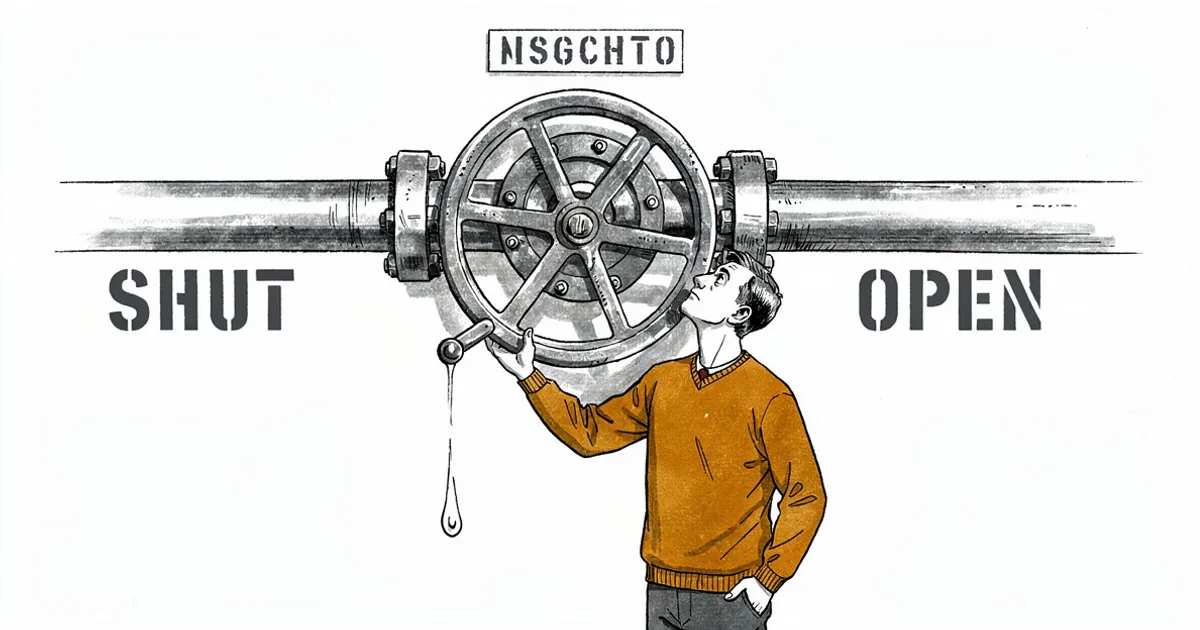
One unmasked field is all it takes
Your users are pasting PII into AI prompts right now. One slip and sensitive data is sitting inside an LLM with no way to recall it.
One paste away from a breach
Users copy SSN, DOB, and account numbers into AI prompts every day. One slip and PII is sitting inside an LLM with no way to recall it.
“Using our own data from our own Salesforce - that's gonna be a lot more useful to our sales reps.”
- VP of IT, Fortune 500 Insurance
Secure this with Zero-Trust ArchitectureRegulators don't care if it was accidental
HIPAA, FINRA, GDPR, and PCI DSS apply the same penalties whether the leak was deliberate or a careless paste. Unmasked PHI in an LLM is a violation - period.
“I don't want to send accounts to a separate system.”
- CTO, Financial Services
Secure this with Audit TrailsBlock AI or let everything through
The choice between blocking AI entirely or letting everything through and hoping nothing leaks is not really a choice. Neither works. Blocking just pushes users to channels you can't see or control.
“No different than an AgentForce agent - configuring that level of engagement.”
- Salesforce Partner, Enterprise Consulting
Secure this with Security LayerMulti-Layer Protection for Every Data Type
Record-Level Masking (Layer 1)
Full redaction or reversible tokenization per role, profile, or record type. No code required. See it in the privacy compliance demo .
Pattern-Based Detection (Layer 2)
Pre-built patterns catch SSN, credit cards, MRN in free-text. Every mask event captured in audit trails .
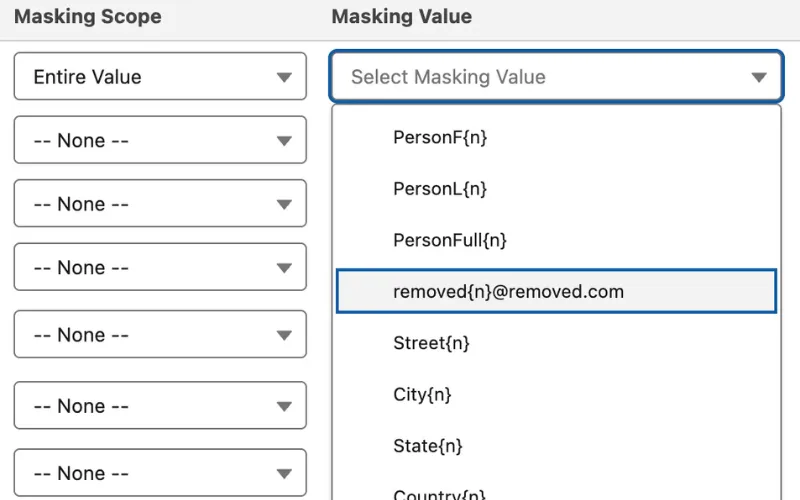
Blocklists & Custom Enforcement
Blocklists & Keywords (Layer 3)
Org-wide blocklists prevent codenames and sensitive terms from reaching AI. Applied to every prompt. Watch the security architecture demo .
Apex Enforcement (Layer 4)
Semantic masking preserves analytical properties (age brackets, proportionality). All within zero-trust architecture .
Masking for Regulated Industries
Financial Services & Healthcare
Financial Services : SSN, PCI-DSS, Regulation S-P. Healthcare : 16 of 18 PHI identifiers with role-based access.
Insurance & Cross-Industry Coverage
Mask policyholder PII, policy numbers, settlement terms. Role-based access per user type. Works across all Salesforce editions and industry clouds .
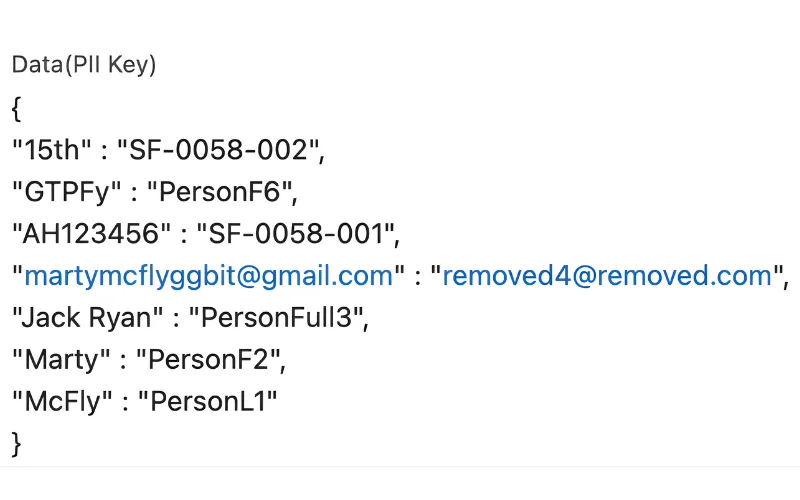
Why Choose Data Masking
4 Layers of Protection Before AI Sees Anything
Record-level masking, pattern-based detection, keyword blocklists, and Apex enforcement work together to catch sensitive data at every level. Each layer catches different types of sensitive data.
16 of 18 HIPAA PHI Identifiers Masked
SSN, DOB, credit cards, account numbers, email addresses, phone numbers, medical record numbers, driver's license numbers, IP addresses, and custom patterns you define. Biometric identifiers and full-face photographs are not currently supported.
Zero Code Required for Layers 1-3
Point-and-click configuration for record-level masking, pattern detection, and blocklists. Layer 4 (Apex enforcement) is optional for custom requirements that need semantic masking or encryption logic.
Powerful Capabilities
Record-Level Masking
Layer 1: Mask account balances, DOB, policy numbers with full redaction or reversible tokenization. Different rules per role, profile, or record type.
Pattern-Based Detection
Layer 2: Pre-built patterns catch SSN, credit cards, phone, email, and medical record numbers in free-text fields. Add custom regex for your data types.
Blocklists & Keywords
Layer 3: Org-wide blocklist of terms that never reach AI - project codenames, competitor names, sensitive keywords. Applied to every prompt automatically.
Apex Enforcement
Layer 4: Semantic masking that preserves analytical properties. Shift dates while keeping age brackets. Vary amounts while maintaining proportionality.
Key Takeaways
- Four layers: record-level masking, pattern detection, blocklists, and Apex enforcement
- Masks 16 of 18 HIPAA PHI identifiers including SSN, DOB, and medical record numbers
- Layers 1-3 are fully point-and-click; Layer 4 Apex is optional for custom logic
- Reversible tokenization maps masked values back via a secure Salesforce-stored key
- Pattern-based detection catches PII pasted into free-text fields before AI processing
Frequently Asked Questions
Raw data stays in Salesforce. Only masked data reaches your AI provider. GPTfy is a Salesforce-native managed package - orchestration happens inside your Salesforce org, no external servers, no data warehouse, no caching layer. Masking happens inside Salesforce before any data leaves. Your AI provider (OpenAI, Azure, AWS Bedrock, etc.) only receives masked tokens. The secure mapping table that links tokens to original values is stored in your Salesforce org - never externally. GPTfy cannot make external API calls unless your Salesforce admin explicitly configures named credentials and remote site settings.
Usually no. Most AI tasks - sentiment analysis, case classification, email summarization - work perfectly with masked data. AI doesn't need a real customer name to detect a frustrated tone. When context matters: Some tasks need the data's meaning without the actual values. GPTfy's semantic masking (Layer 4, Apex) preserves analytical properties - shifting dates while keeping minors as minors, varying amounts while maintaining proportionality - so AI gets the context it needs without ever seeing real PII.
Layer 2 (pattern-based detection) catches it automatically. Example scenario: User types 'Customer SSN is 123-45-6789, card ending 5678'. GPTfy detects SSN pattern (XXX-XX-XXXX) and credit card pattern. AI receives 'Customer SSN is ***-**-****, card ending ****'. This is why Layer 2 is critical: Even if users accidentally paste PII into notes or comments, GPTfy masks it before AI sees it.
Two layers of protection. First: You can configure zero data retention with your AI provider, so prompts and responses are never stored on their side. Microsoft Azure, Amazon AWS, and Google Cloud Platform (GCP) all support this for their common AI models. Second: Even if data was retained, GPTfy's masking layer ensures what was sent contained only masked tokens - no raw PII or PHI. The mapping table that links tokens to real values lives in your Salesforce org, not with the AI provider. In the unlikely event of a breach investigation, complete audit logs show exactly what data was sent, when, and by whom.
You don't have to - GPTfy fully respects the Salesforce Security Model your admin already configured. GPTfy runs in the context of the logged-in user. That means profiles, permission sets, field-level security, encrypted fields, record types, sharing rules, and role hierarchy all apply automatically. A compliance officer sees more than a sales rep - the same way they do in Salesforce today. On top of that, GPTfy adds granular control: prompts are assigned to profiles, so admins decide which fields are extracted in each data context mapping and which prompts a given user can run.
All of them. GPTfy masking works across every Salesforce edition and industry cloud: Core clouds (Sales Cloud, Service Cloud, Experience Cloud including communities and portals) and Industry clouds (Financial Services Cloud, Health Cloud, Manufacturing Cloud, Automotive Cloud, Communications Cloud, Education Cloud, Nonprofit Cloud, Consumer Goods Cloud). Field compatibility: Masking applies to standard fields, custom fields, and fields from third-party managed packages. If a field exists in your org and is accessible via standard Apex/APIs, GPTfy can mask it. Experience Cloud: Masking is also enforced when prompts or AI-generated output are exposed through communities pages.
GPTfy can mask SSN, DOB, credit card numbers, bank account numbers, email addresses, phone numbers, IP addresses, medical record numbers, driver's license numbers, custom patterns you define (any regex), and blocklisted keywords (project codenames, competitor names, sensitive terms). HIPAA: GPTfy masks 16 of the 18 HIPAA PHI identifiers. Biometric identifiers and full-face photographs are not currently supported. Salesforce field coverage: Works across all standard field types - text, long text area, rich text, phone, email, URL, picklist, and custom fields.
No. Layers 1-3 (record-level masking, pattern detection, blocklists) are point-and-click configuration. Layer 4 (Apex enforcement) is optional for custom requirements that cannot be handled with clicks.
GPTfy maintains a secure mapping table in your Salesforce org. After AI processes masked data, GPTfy automatically de-masks it before presenting results to the user - only if they have permission to see the original data.
Raw Data Stays in Salesforce. Only Masked Data Reaches AI.
Four layers of protection. Point-and-click configuration. Automatic de-masking for authorized users. Your admin controls every callout.
Explore More Features
Zero-Trust Architecture
How GPTfy keeps raw data inside Salesforce with admin-controlled AI callouts.
Audit Trails & Governance
Complete logging of every AI interaction for regulatory compliance.
Non-Disclosure Agreement
Mutual confidentiality terms for GPTfy engagements.
Security Narrative
Detailed security architecture overview prepared by our CISSP.
Demo: Privacy & Compliance
See four-layer masking protect PII in real time