
Click Your Way to Prompt Genius.
Map Salesforce fields, set grounding rules, and test against live records. No code, no dev ticket.
Last updated:
30%of generative AI projects abandoned after proof of concept due to poor data quality or unclear business value (Gartner, 2024)
See GPTfy's no-code Prompt Builder build a live Salesforce AI workflow
Map fields, set grounding rules, test against real records, deploy with version control, no code required. 2-minute demo.
Hard-Coded Prompts Lock Teams Out of Control and Visibility
Most AI implementations bury prompt logic in Apex classes or custom LWCs, making it impossible for non-technical users to see what the AI receives or to adjust prompts without a developer.
Apex Classes Hide Prompt Logic from Admins
When prompts are hard-coded in Apex or Lightning Web Components, Salesforce admins and product owners have zero visibility into what data the AI receives or how the prompt is structured. Every change requires a developer ticket and a deployment cycle.
“I was looking for a declarative way to integrate OpenAI with Salesforce. GPTfy is easy to configure, free and the support from Rahul and team is awesome. Prompt builder is super cool.”
- Sourav Halder, Salesforce Professional
Connect your model via BYOM ArchitectureYou Can't Test Prompts Against Live Records
Traditional AI integrations require you to deploy prompt changes to production before seeing the results. There is no way to test a prompt against a specific Salesforce record, inspect the AI response, or validate token usage before users encounter it.
“Really nice App. It does what it claims. Pre-packaged prompts make it easy to use.”
- Shailesh Varshney, Developer, Capgemini Australia
Automate with Flow IntegrationPrompt Customization Requires Apex Knowledge
Business users and Salesforce admins who understand the data and the business logic are unable to refine prompts because the configuration requires Apex coding skills. This creates bottlenecks and delays for every prompt iteration.
“Found the deployment to be easy. Just took me 10 minutes. Pre-configured prompts and the complimentary Open AI connection helped me test this App quick.”
- Salman Khan, Release Manager, IBM
Secure this with Security LayerData Context Mapping Eliminates Field Errors
Point-Click Field Selection via DCM
Pick Salesforce fields from a visual tree with no API names to memorize. Watch the prompt management demo .
Test Prompts Against Live Records
Execute any prompt against a live record and see the full AI response instantly. See it working in the deal coaching walkthrough .
Grounding Rules and Version Control
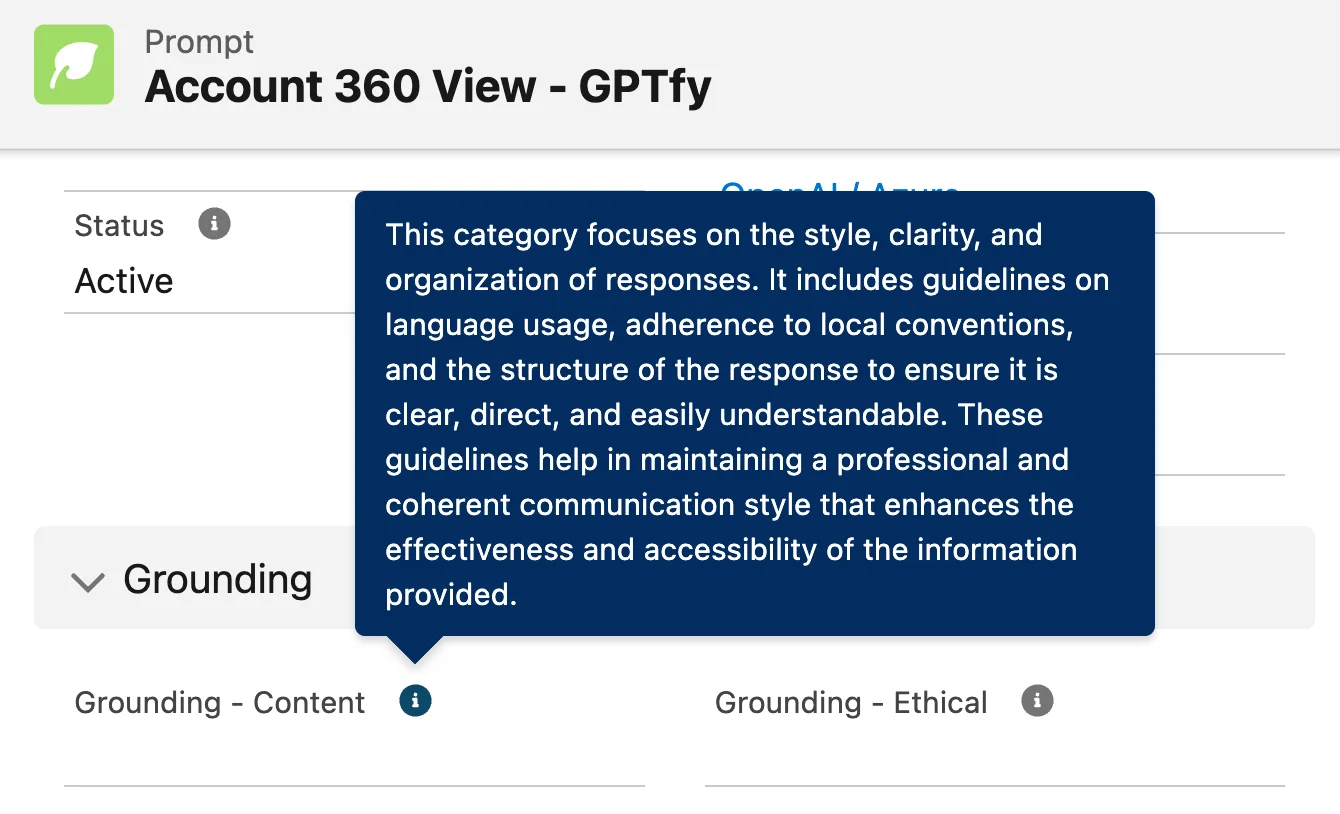
Attach Grounding Rules to Prompts
Apply bias, compliance, and brand-voice rules to any prompt. Pair with the Security Layer for PII masking.
Automatic Versioning With Rollback
Every edit creates a versioned snapshot. Roll back with one click. See how prompts drive lead email generation .
Catalog and Deploy Prompts
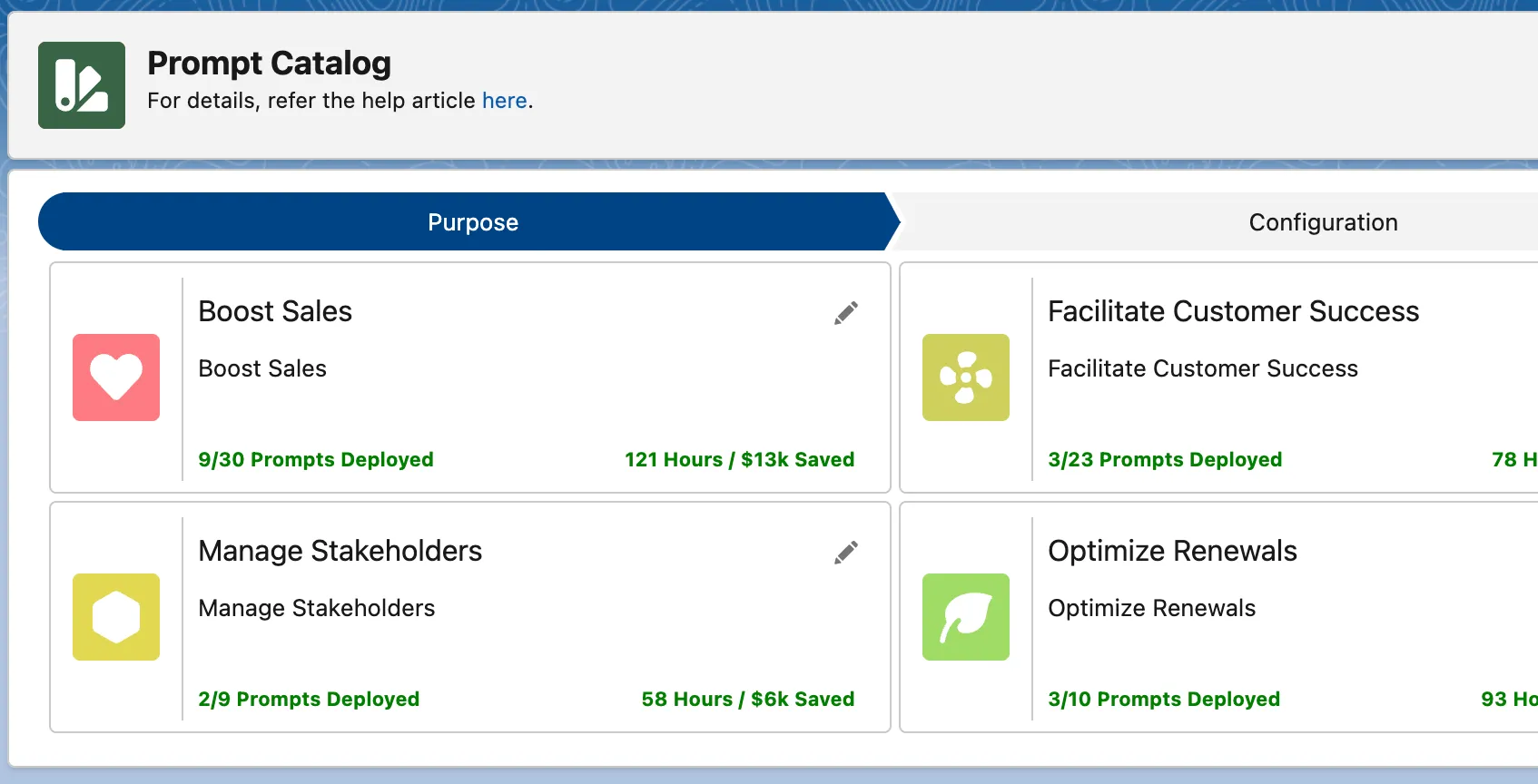
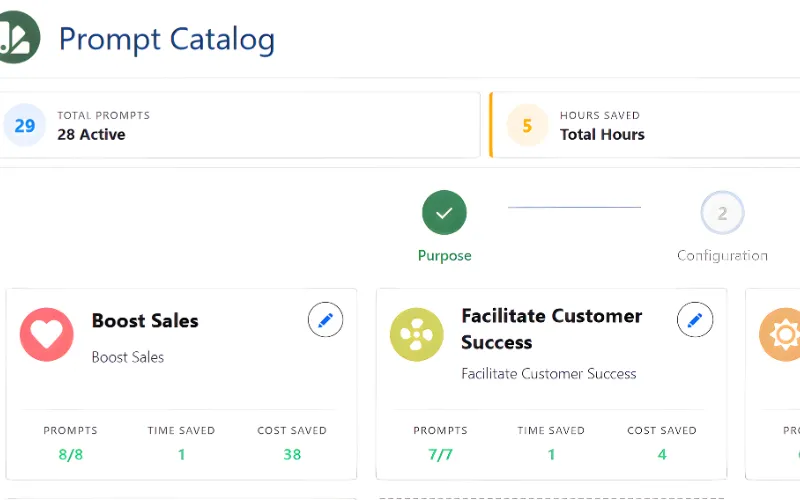
Prompt Catalog With Categories
Organize prompts by business purpose. Users select by category, not technical IDs. See prompts powering automated follow-ups .
Profile-Based Visibility Controls
Restrict prompts by user profile. Finance sees financial prompts; compliance gates PII-heavy ones via data masking rules.
Why Choose Prompt Builder
Map Salesforce Fields Into Prompts Declaratively
GPTfy's Data Context Mapping (DCM) lets you select which Salesforce fields - from any object, including child records - feed into the AI prompt. Point-and-click configuration, no Apex required.
Test Any Prompt Against Live Records Instantly
Select any Salesforce record and execute the prompt in real time through the Prompt Builder's test panel. See the full AI response, token usage, and execution time before deploying to users.
Version, Rollback, and Gate by Profile
Every prompt change is versioned automatically. Roll back to any prior version with one click. Control which user profiles can see and execute each prompt through GPTfy's visibility rules.
Powerful Capabilities
Grounding Rules Engine
Apply multi-select grounding rules - bias avoidance, industry compliance, brand voice - that constrain AI outputs to match your organization's standards. Rules are enforced at execution time.
Structured JSON Prompt Mode
Define prompts as structured JSON with predefined output components. GPTfy parses the AI response and maps fields to Salesforce records, enabling automated record updates from AI outputs.
Post-Prompt Action Framework
Configure actions that fire after prompt execution - update fields, create records, invoke Flows, or open custom forms. Chain AI outputs to Salesforce automation without writing triggers.
Prompt Catalog With Category Management
Organize prompts into business-purpose categories (Account Intelligence, Case Resolution, etc.) visible in the GPTfy prompt catalog. Activate, deactivate, or bulk-manage prompts by category.
Key Takeaways
- Point-and-click Data Context Mapping pulls fields from any Salesforce object into AI prompts, no Apex required.
- Test prompts against live Salesforce records with full token usage and response time visibility before deploying.
- Version control, role-based access, and audit trails provide enterprise governance for every prompt change.
- Works with any AI model connected through GPTfy's BYOM architecture via Named Credentials.
- Deploy prompts to Flows, Apex triggers, Lightning components, or GPTfy Agents with a single click.
Frequently Asked Questions
The no-code prompt creation process is handled through an intuitive UI that guides you through each step. You can map Salesforce context, set grounding rules, and define AI actions in a single interface with minimal clicks. The system supports both free-form text instructions and structured JSON prompts with predefined components, allowing you to create sophisticated prompts without writing any code. Watch the prompt management demo at /resources/demo/prompt-management for a full walkthrough.
The system provides production-ready governance controls including multi-select grounding rules for bias avoidance, industry compliance, and brand voice. It features automatic versioning to snapshot JSON definitions, with the ability to revert to prior versions and reinstate older drafts. The system also includes visibility rules and profile gating to ensure all AI outputs align with company standards.
Prompts can be tested instantly with any Salesforce record through the built-in testing interface. The system maintains comprehensive audit logs that track all AI interactions for compliance. Once tested, prompts can be organized into a business-purpose catalog, grouped by category, and managed in bulk for streamlined deployment across your organization. The system also supports point-and-click field mapping to ensure your AI always has the exact data context it needs.
The Prompt Builder supports profile-based visibility controls, so each team only sees prompts relevant to their function. Administrators can organize prompts into categories (Account Intelligence, Case Resolution, Opportunity Analysis), assign them to specific user profiles, and manage permissions centrally. Version history and rollback are available per prompt, enabling safe iteration without disrupting other teams' live prompts.
Every prompt execution passes through GPTfy's Security Layer, which applies field-level PII masking before data reaches the AI model. Administrators can restrict sensitive prompts to specific user profiles using visibility rules and require compliance approval for prompts that access PHI or financial data. All prompt executions are logged in AI_Response__c records with the original prompt, masked version, and AI response for audit purposes.
GPTfy provides a Flow-invocable action that triggers any Prompt Builder prompt from within a Salesforce Flow. The Flow passes the record ID, and GPTfy's Data Context Mapping resolves all configured fields, applies grounding rules, and sends the prompt to the AI via the configured AI Connection. This enables fully automated AI processing on record creation, stage changes, or any Flow-supported trigger without writing Apex. See the automated follow-ups demo at /resources/demo/automate-follow-ups.
See the Prompt Builder Work Live
We'll build a prompt using Data Context Mapping, configure grounding rules, test it against a live record, and show the AI response - all in 30 minutes with your org.
Explore More Features
GPTfy Agents
Build Agentic prompts with JSON schema for agent skills
Flow Integration
Trigger prompts from Salesforce Flows without Apex
Prompt Management Demo
Watch how admins build, test, and deploy AI prompts without code
OpenAI in Salesforce
Run GPT models in Salesforce with PII masking via Named Credentials.
Prompt Development Use Case
Best practices for prompt development inside Salesforce.