
Voice Notes in Salesforce - How to Achieve $7.5M ROI with AI-Powered Call Logs
Last updated:
Calculate the ROI of AI voice notes in your Salesforce
See how much revenue your team recovers when every call is logged automatically.
TL;DR
A simple switch from typing to voice logging in Salesforce can save $7.5M annually for a 1200-person sales team. Just talk, submit, and let AI handle the rest.
Not a fan of reading articles? Check out the video here:
---What?
A plain English explanation of how voice-powered call logging can transform your Salesforce productivity, focusing on real ROI and practical implementation.
Who?
Salesforce admins, business analysts, sales leaders, and anyone looking to improve Salesforce CRM adoption while maximizing their team's selling time.
Why?
To unlock significant productivity gains through simplified call logging.
-> Improve revenue. Boost CRM adoption. Enable faster decision-making.
What can you do with it?
- Boost Productivity: Save 15 minutes per rep daily through voice-powered logging
- Enhance CRM Usage: Transform data entry from a chore to a natural conversation
- Accelerate Intelligence: Get sales insights to leadership in real-time
Understanding the ROI Impact
Let's examine the productivity savings:
- 1,200 sales representatives
- 15 minutes saved per day
- 250 working days annually
- $100/hour cost assumption
Result: $7.5 million in annual productivity impact from this simple change.
Improving CRM Adoption and Sales Intelligence
The most common complaint from Salesforce users is that entering information feels like a chore with little visible value. By making data entry easier, we enable:
- Improved CRM user adoption
- Accelerated sales reporting
- Better sales intelligence through timely data
- Enhanced ROI on sales technology
- Faster decision making through improved information flow
How GPTfy Voice Works in Real World
Let's walk through step by step how reps can use GPTfy Voice to record notes in Salesforce:
1. Quick Voice Recording
After finishing a call, open Salesforce and click the voice button. Simply say:

2. AI-Powered Processing
- GPTfy processes the voice message
- Automatically transcribes and structures the content
- Creates a well-formatted call log in Salesforce
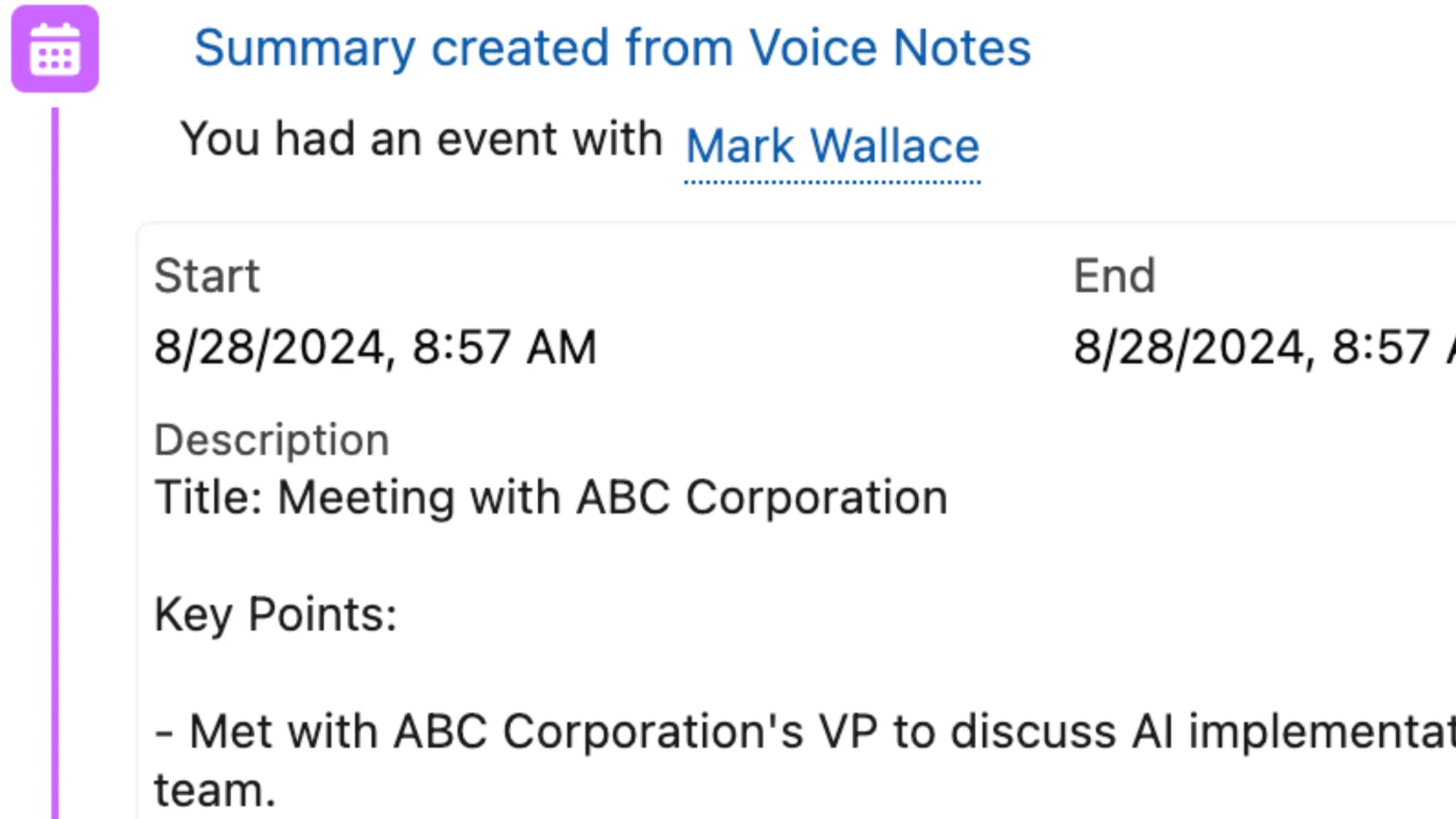
3. Smart Output
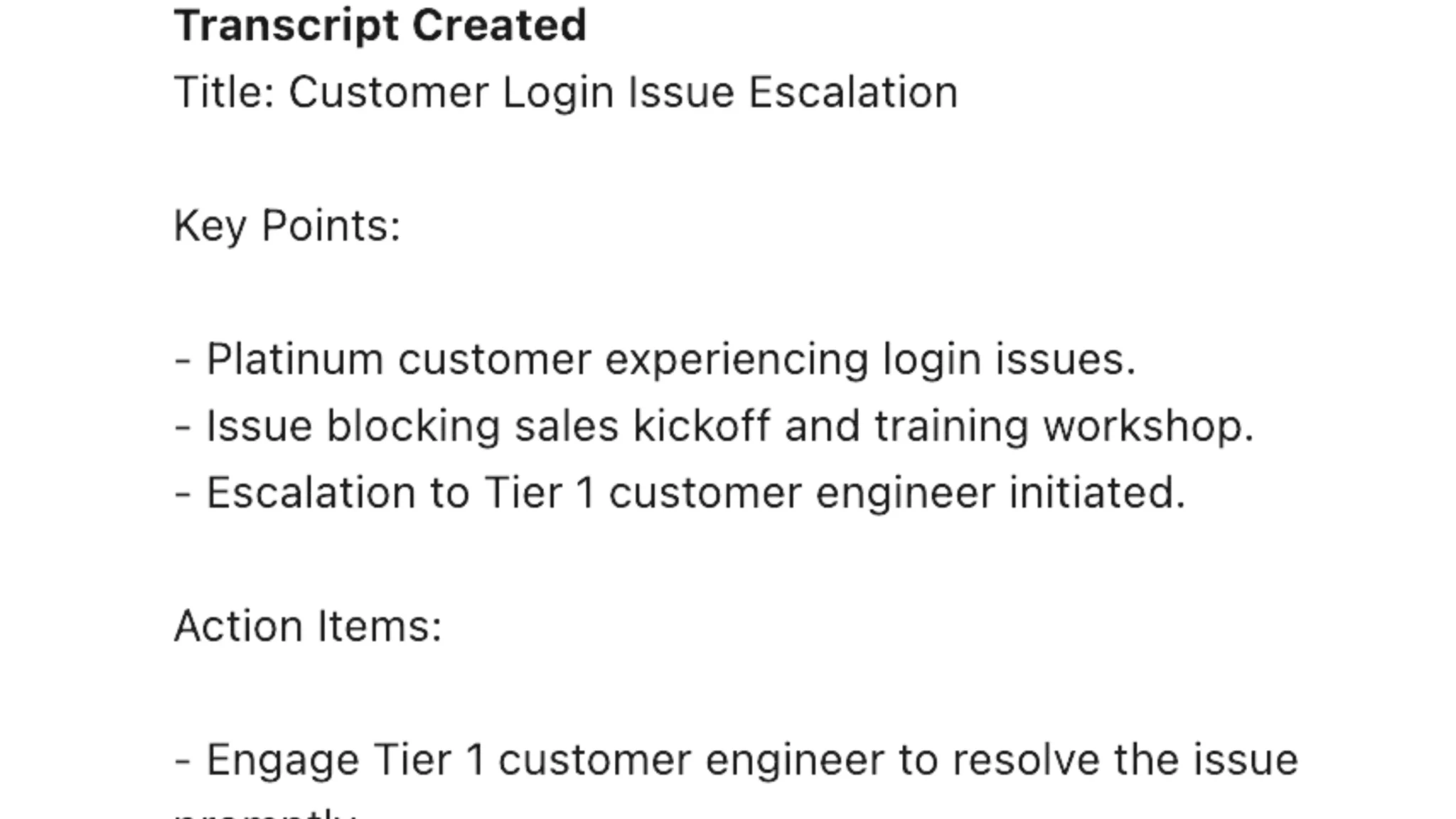
AI automatically:
- Identifies key discussion points
- Extracts action items
- Creates a structured note in Salesforce
- Will soon automatically create task items for follow-up
Key Benefits
1. Immediate Logging
- Log calls while walking to an elevator
- Update from an Uber/taxi
- Use it anywhere via the Salesforce mobile app
- Compatible with iPhone, iPad, or any computer
2. Enhanced Information Flow
- Regional managers get real-time updates
- Sales leadership stays informed without delays
- Integrates seamlessly with Account 360 intelligence
- Removes the bottleneck of delayed data entry
3. Native Salesforce Integration
- Runs entirely within your Salesforce environment
- Works with existing Salesforce mobile apps
- Maintains data security and privacy
- Integrates with your existing workflows
Conclusion
Making call logging easier isn't just about saving time - it's about transforming how your team uses Salesforce. By removing the friction from data entry, you:
- Save significant time per rep
- Improve CRM adoption
- Enable faster decision-making
- Enhance sales intelligence quality
GPTfy Voice makes this possible through seamless AI-powered voice-to-CRM capabilities within your Salesforce environment. As part of a comprehensive AI for Sales strategy, voice notes can dramatically improve productivity while maintaining data security.
Ready to unlock $7.5M in annual productivity savings? Book a demo to see how GPTfy Voice can transform your team's call logging process and boost CRM adoption.
Want to learn more?
View the Datasheet
Get the full product overview with architecture details, security specs, and pricing, with a built-in print option.
Watch a 2-Minute Demo
See GPTfy in action inside Salesforce - from prompt configuration to AI-generated output in real time.
Ready to see it with your data? Book a Demo
Explore GPTfy