
The Full Account Picture. Unified.
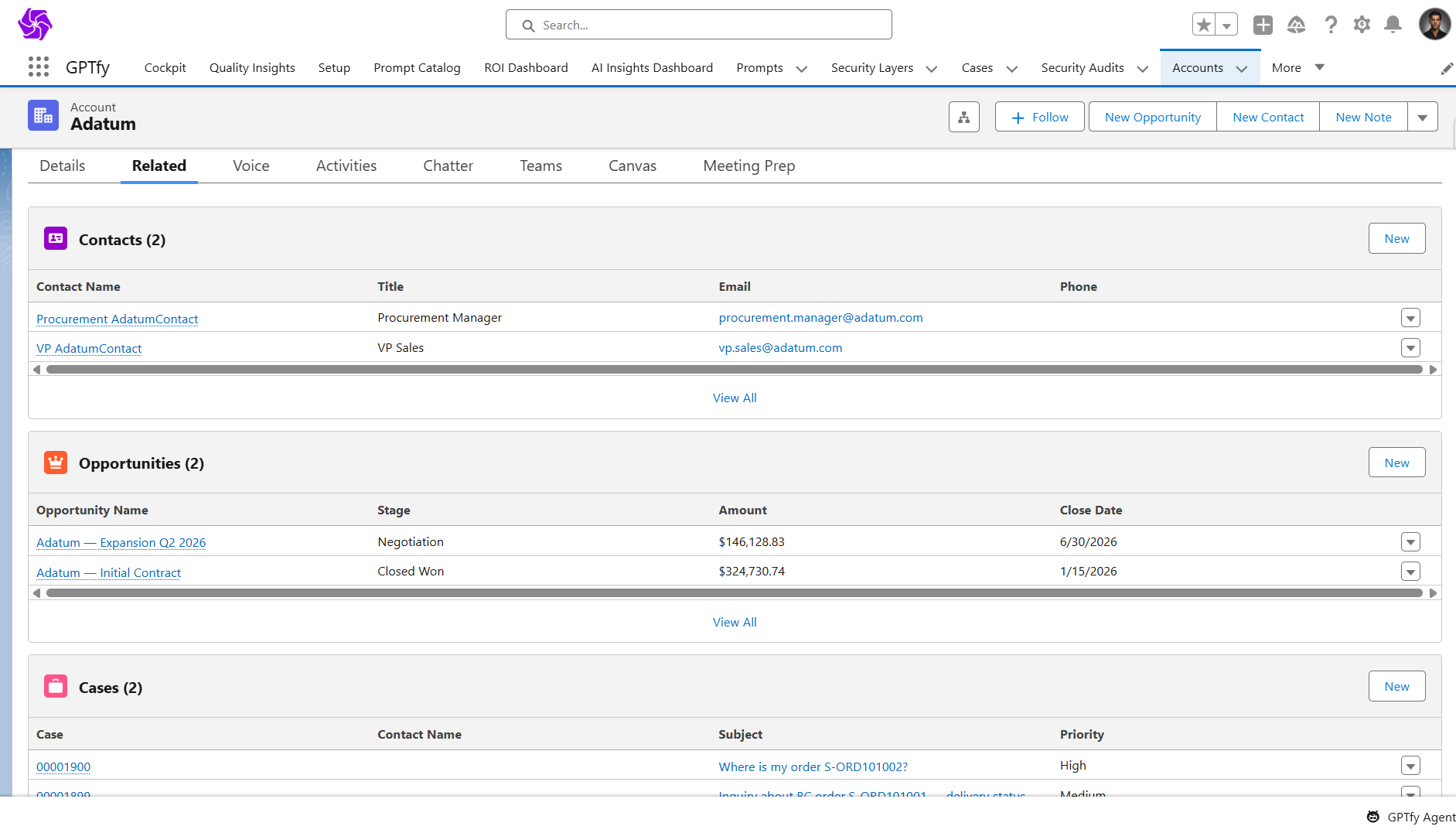
Resolve account questions with live orders, invoices, and financials in Salesforce without system switching
Last updated:
Your Customer Relationship Stays Partial Without Account Truth
Customer Operations Intelligence turns Account 360 into a live relationship view where CRM signals and ERP facts finally meet.
Manual research before every call
The real problem is not the screen switching. It is answering customers from fragments while the full account story stays split across systems.
“Liked the easy and click/no-code way to configure GPT LLMs on any Salesforce object and go-live in days.”
- Gurditta Garg, Chief SF Evangelist, Motorola
See how GPTfy automates workflowsCRM data incomplete
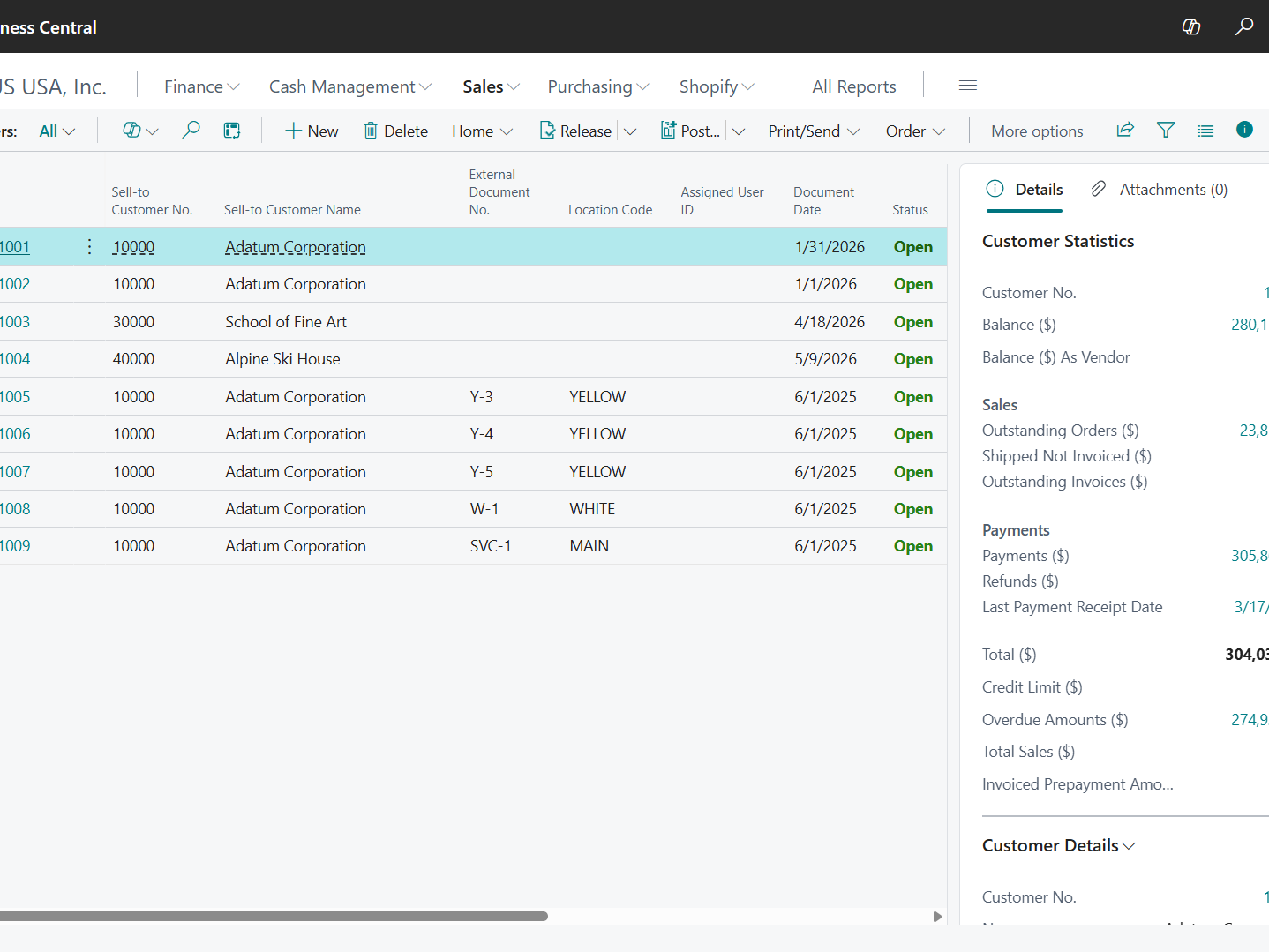
Salesforce may show engagement and open cases while Business Central holds overdue balances, disputed invoices, and order issues shaping account health.
“Finally an easy to use AI solution which would not only help you manage daily tasks efficiently but also give you the power to interpret large datasets to make business decisions effectively.”
- Ashwin Kotian, AVP, ICICI Lombard
See how GPTfy connects external dataRevenue put at risk
When teams work from half the account picture, they miss the financial and operational signals that change renewals, escalations, and customer trust.
“It takes them 8 minutes to enter an order. With this, it now takes 2. It's time saved.”
- Technical Architect, Fortune 500 Manufacturing
See how GPTfy maps ERP dataSupport Agents, Know The Full Story
Get Full Account Context
See orders, invoices, and customer financials in Salesforce so agents can answer account questions without checking multiple systems.
Catch More in One Reply
GPTfy gives agents the account context needed to resolve more issues on the first response.
Account Managers, Spot Relationship Risk
Get Renewal-Ready Context
See account activity, orders, invoices, and financial signals together in Salesforce before QBRs, renewals, and customer check-ins.
Spot Risk Before Meetings
GPTfy surfaces ERP context beside CRM activity so account managers can catch payment issues and friction earlier.
Service Leaders, Trust Account Visibility
Spot Friction Earlier
See where payment issues, account risk, and missing context are driving avoidable escalations across service workflows.
Get a Practical 360
GPTfy brings the right ERP data into service workflows without another long customer 360 project.
Why Choose Account 360 ERP
One Account View With Live Truth
Bring orders, invoices, and customer financials together in Salesforce so teams work from a fuller account picture.
Stronger First-Response Confidence
Help agents answer more questions with the relationship, financial, and operational context that shapes the account.
More Trusted Account Decisions
Use a validated prompt pattern designed to produce clear, structured account summaries from CRM and ERP data.
Powerful Capabilities
Prompt Builder
Create account summary prompts for support, success, and account management workflows inside Salesforce.
Data Context Mapping
Map Account, Case, Contact, and Opportunity fields so prompts use the right CRM context with each run.
AI Data Sources
Pull live Sales Orders, Sales Invoices, and Customer financial data from Dynamics 365 Business Central.
Security Layer
Support reviewability and auditability for the data used in each generated account summary.
Key Takeaways
- GPTfy brings Customer Operations Intelligence to Account 360 by combining CRM relationship signals with live Dynamics 365 ERP facts
- Support teams can see orders, invoices, and customer financials in one place
- Team leads can reduce escalations by standardizing account context across roles
- Leaders gain earlier visibility into account risk and payment-related friction
- Business Central data is fetched at runtime instead of copied into a separate store
Frequently Asked Questions
No. GPTfy is focused on bringing the right Dynamics 365 Business Central data into Salesforce at runtime for prompt-driven workflows, without a long dashboard buildout.
Yes. GPTfy can surface Sales Invoices and Customer financial data from Business Central directly in the Salesforce workflow used by the agent.
GPTfy uses mapped Salesforce context and live Dynamics 365 data to generate structured summaries, account briefs, and support-ready responses grounded in the available record data.
GPTfy operates within Salesforce controls and uses configured access to external data sources, helping teams manage who can run prompts and review outputs.
Teams need the Dynamics 365 Business Central connector configured in Salesforce along with the relevant prompt, mapping, and access setup for the account workflow.
Yes. GPTfy is designed to support reviewability of the data used in generated outputs, which is important when responses include invoice status, overdue amounts, or account health signals.
See Customer Operations Intelligence In Action
Book a 30-minute demo to see orders, invoices, and customer financials inside Salesforce. No commitment required.
Related Use Cases
Dynamics 365 Order Status Check
Help reps answer order questions before the call.
Dynamics 365 Revenue Reconciliation
Compare CRM pipeline and ERP invoice actuals in one workflow.
Account 360
Give teams a unified customer view inside Salesforce.
Deal Coach
Prepare account teams with better context before key conversations.