
Walk In Briefed. Not Blind.
Prepare for stakeholder meetings with live Business Central order and invoice context inside Salesforce
Last updated:
Customer Conversations Lose Ground Without Account Truth
Customer Operations Intelligence gives stakeholder briefs the relationship and financial context CRM alone cannot provide before important meetings.
Lost toggling between systems
The real risk is not the prep time. It is walking into a QBR without current order, invoice, and payment signals that shape the customer relationship.
“It enables Salesforce professionals like me to use AI of my choice in a declarative manner. Case summarization, classification, routing, personalized email response generation.”
- Sury Ramamurthy, Technical Architect, Innolake
See how GPTfy maps ERP dataOf CRM data is incomplete
Salesforce may show healthy engagement while Business Central holds overdue invoices or shifting order patterns. The team misses the operating reality behind the account.
“Really nice App. It does what it claims. Pre-packaged prompts make it easy to use.”
- Shailesh Varshney, Developer, Capgemini Australia
See how GPTfy connects external dataOf companies leak revenue from gaps
The account executive spends forty-five minutes toggling between Salesforce and Business Central before every executive meeting. By the time the brief is assembled, half the data is already stale.
“Liked the easy and click/no-code way to configure GPT LLMs on any Salesforce object and go-live in days.”
- Gurditta Garg, Chief SF Evangelist, Motorola
See how GPTfy automates workflowsAccount Executives, Know The Full Story
Walk Into Meetings Ready
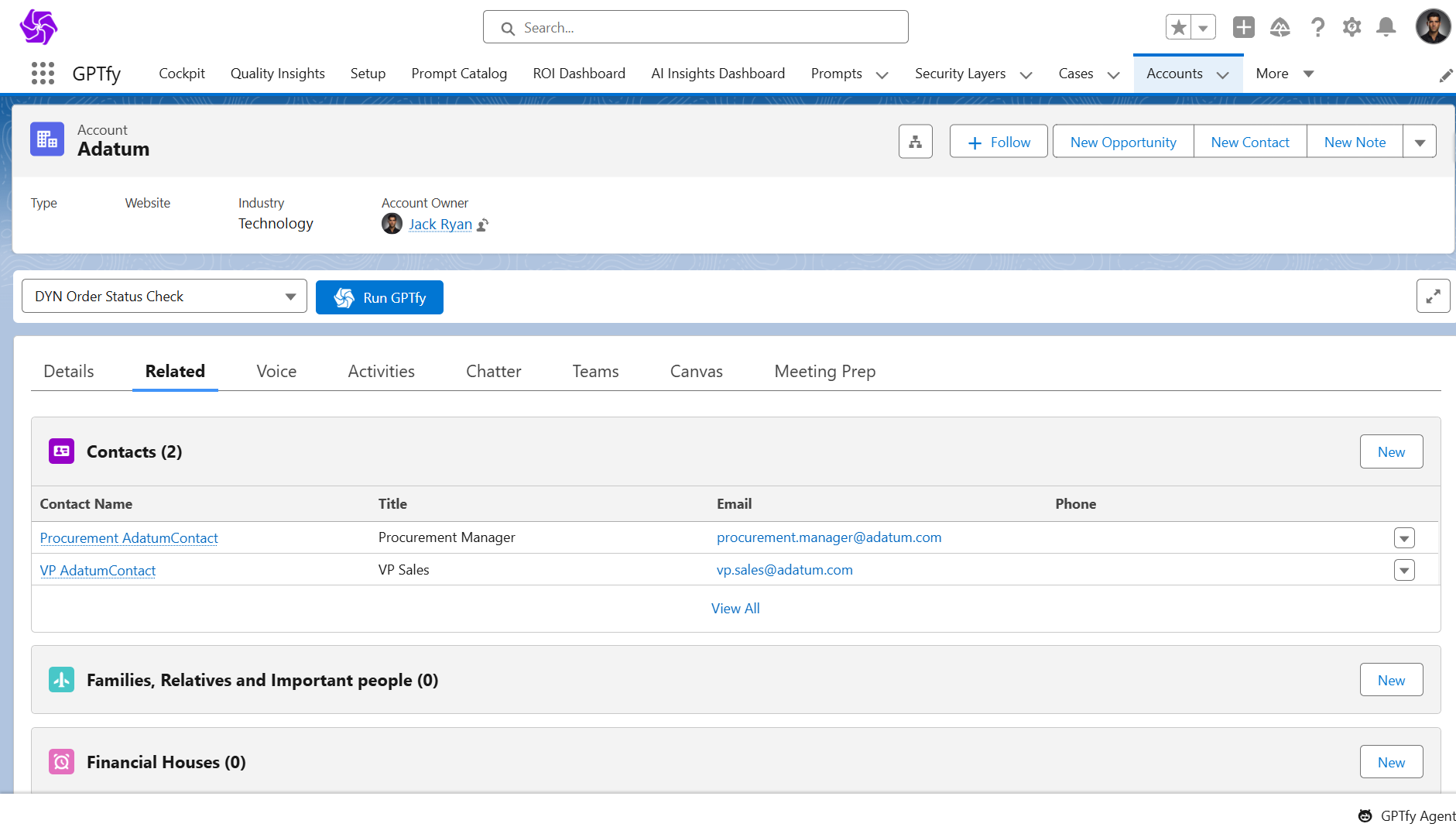
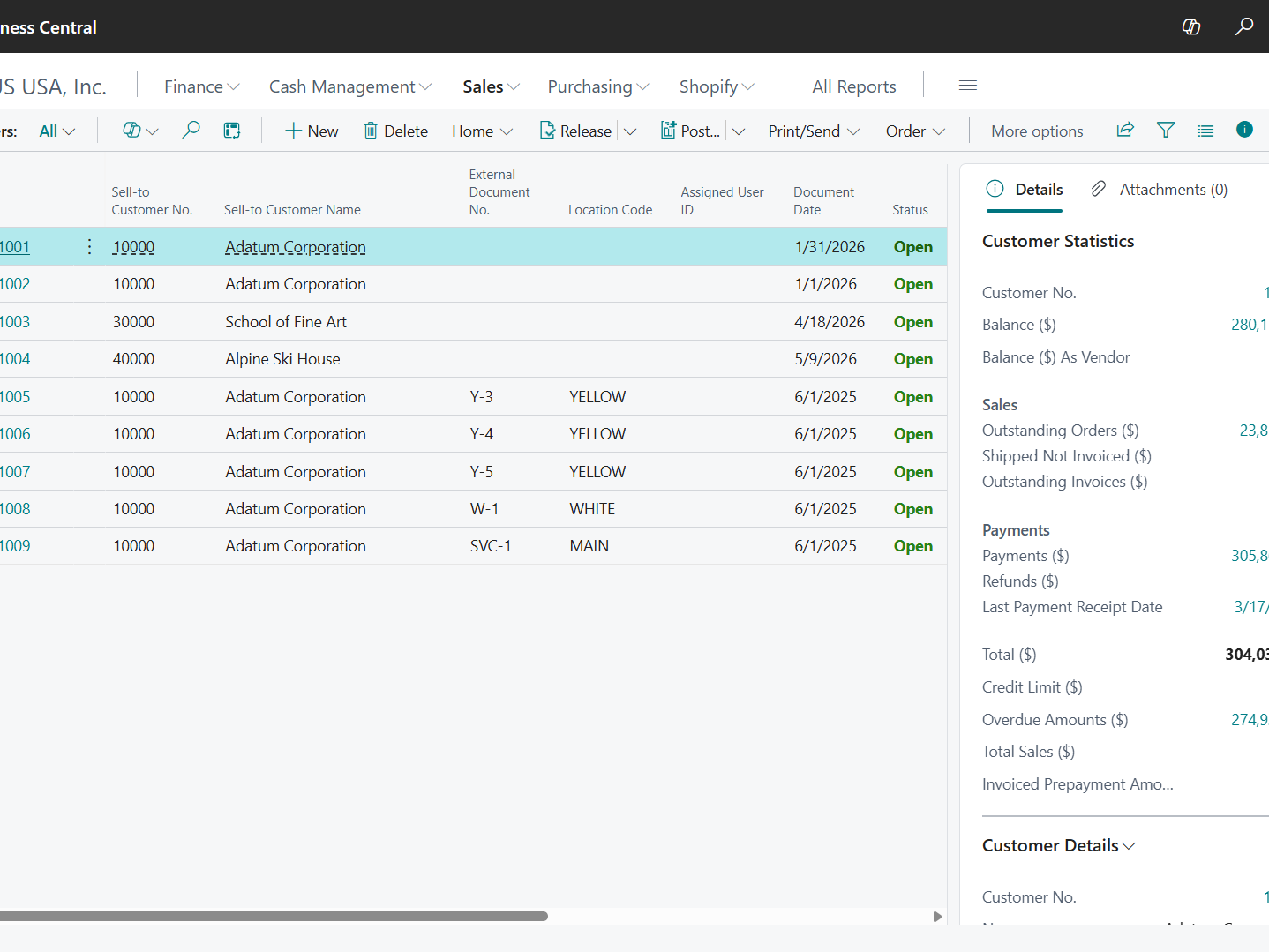
See recent orders, invoice context, and account signals in Salesforce before stakeholder meetings and executive follow-ups.
Lead With Context
GPTfy helps account executives start conversations with current ERP context instead of piecing together updates from multiple systems.
Account Managers, Surface Relationship Risk
Support QBR Preparation
Give account managers current order and invoice context in Salesforce before QBRs, renewals, and customer planning sessions.
Reduce Research Time
GPTfy surfaces the latest ERP context in Salesforce, reducing manual prep, spreadsheet checks, and last-minute internal chasing.
Revenue Leaders, Trust Meeting Readiness
Monitor Deal Confidence
See where missing ERP context weakens pipeline quality, meeting readiness, and confidence in account-level decisions.
Improve Forecast Trust
GPTfy makes stakeholder briefing a practical workflow for improving account preparation and reducing avoidable surprises in customer meetings.
Why Choose Stakeholder Brief
Stronger Account Context Before Meetings
Bring current ERP signals into stakeholder prep so teams walk in with a fuller view of customer reality, not partial CRM history.
Better Executive Conversation Quality
Give account teams current operational and financial context before customer conversations so they can lead with stronger relationship awareness.
More Trusted Account Decisions
Start with a practical workflow that improves meeting quality, account judgment, and confidence in customer-facing decisions.
Powerful Capabilities
Prompt Builder
Create stakeholder brief prompts for Account and Opportunity records without writing custom code.
Data Context Mapping
Map Salesforce fields like Account Name and Opportunity details to the prompt context that drives the ERP briefing.
AI Data Sources
Pull live Sales Order and Sales Invoice data from Dynamics 365 Business Central at runtime inside Salesforce.
Security Layer
Keep prompt execution inside Salesforce controls with auditability for the data used in each response.
Key Takeaways
- GPTfy brings Customer Operations Intelligence to stakeholder preparation by combining CRM relationship context with live Dynamics 365 ERP facts
- Account executives can walk into meetings with current ERP-backed context
- Account managers can prep QBRs and renewals faster in one workflow
- Revenue leaders gain better visibility into account readiness and risk
- Data is queried at runtime instead of copied into a separate store
Frequently Asked Questions
No. GPTfy surfaces the relevant Dynamics 365 Business Central order and invoice data inside Salesforce, so teams can prepare in one place.
No. GPTfy queries Business Central at runtime through a native Salesforce connector, so the prompt uses current data available at execution time.
The prompt can summarize multiple Sales Orders and Sales Invoices, highlighting the most relevant account context, recent activity, and financial signals.
No. GPTfy is designed to surface external ERP data in Salesforce without a separate middleware project or replicated reporting layer.
GPTfy runs within Salesforce controls and uses configured credentials to access Dynamics 365 Business Central data. Teams manage access through their existing setup.
Yes. GPTfy is designed to support reviewability of the data used in prompt outputs, helping teams understand what informed each response.
See Account Truth In Stakeholder Briefs
Book a 30-minute demo to see live Dynamics 365 ERP context in Salesforce. No long implementation commitment required to explore the workflow.
Related Use Cases
Dynamics 365 Revenue Reconciliation
Compare Salesforce opportunities with Business Central invoice actuals.
Dynamics 365 Order Status Check
Answer customer order status questions with live Business Central data.
Account 360
Give teams a unified customer view inside Salesforce.
Deal Coach
Help reps prepare for customer conversations with better context.