
QBRs With The Full Picture
Prepare account reviews with live ERP context surfaced inside Salesforce workflows
Last updated:
QBRs Miss Account Truth
Customer Operations Intelligence brings operational and financial context into account reviews so teams can prepare around the full customer relationship.
Spent preparing one review
A QBR can sound complete in Salesforce while orders, invoices, and disputes tell a different customer story. Teams present without the relationship truth customers already know.
“Saw this Freemium App and thought to give it a try. I am not disappointed. I find it better compared to SFDC AI cloud.”
- Amar Rawal, Business Analyst, Origin
See how GPTfy automates workflowsOf companies leak revenue from gaps
CRM notes may suggest growth, but Business Central can reveal declining orders or invoice friction. Account reviews lose credibility when teams prepare from partial relationship context.
“GPTfy made it much easier to bring AI into real Salesforce workflows without heavy custom development.”
- Dinesh Kumar, 2SD
See how GPTfy connects external dataWork time lost reorienting
Leadership gets inconsistent account narratives when every review relies on separate systems and personal interpretation. The risk is not prep time. It is missing account truth.
“The product feels thoughtfully built for teams that need practical AI inside Salesforce.”
- Sourav Halder, Salesforce Professional
See how GPTfy maps ERP dataAccount Managers, Know The Full Account Story
See ERP Context Early
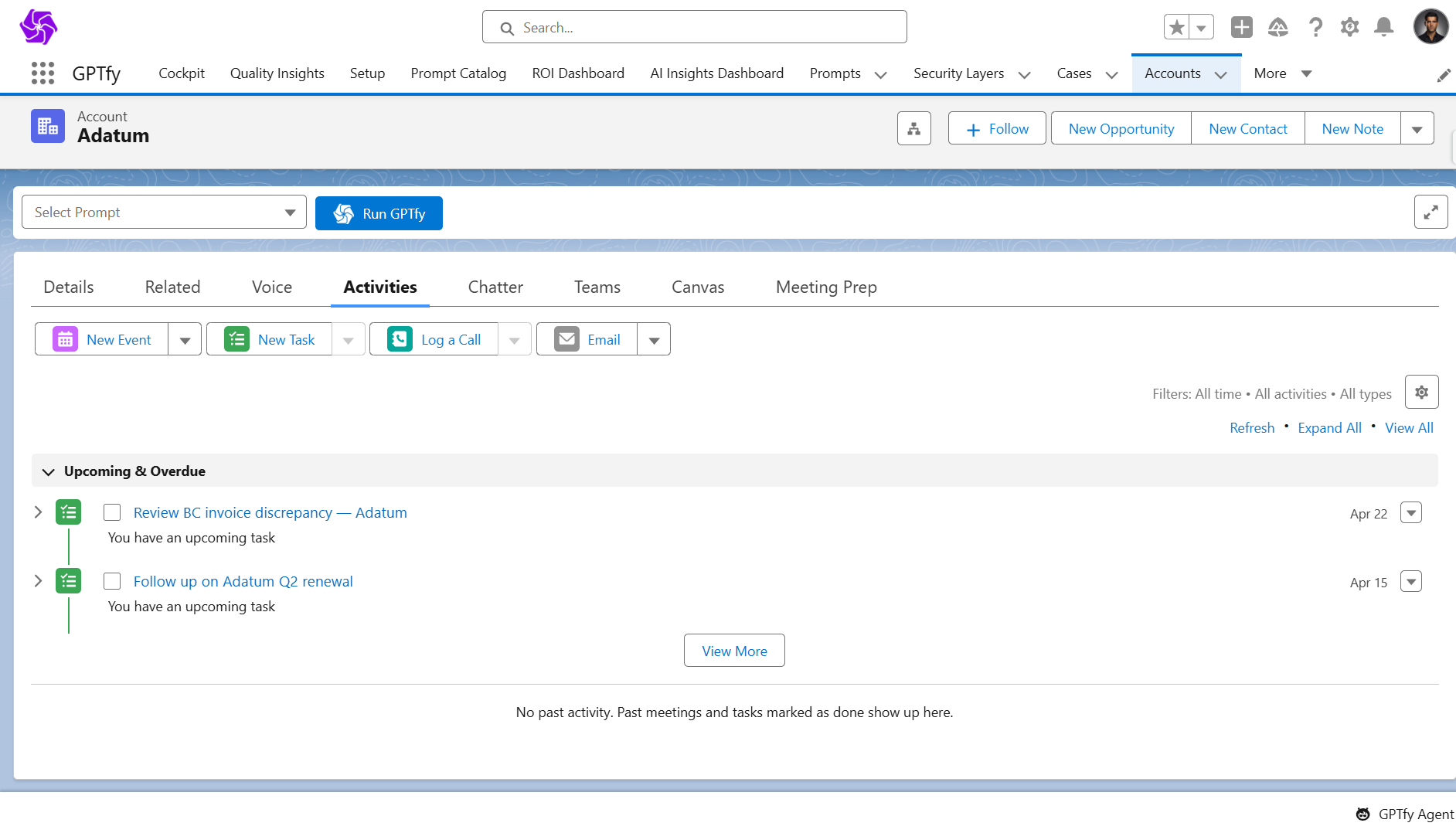
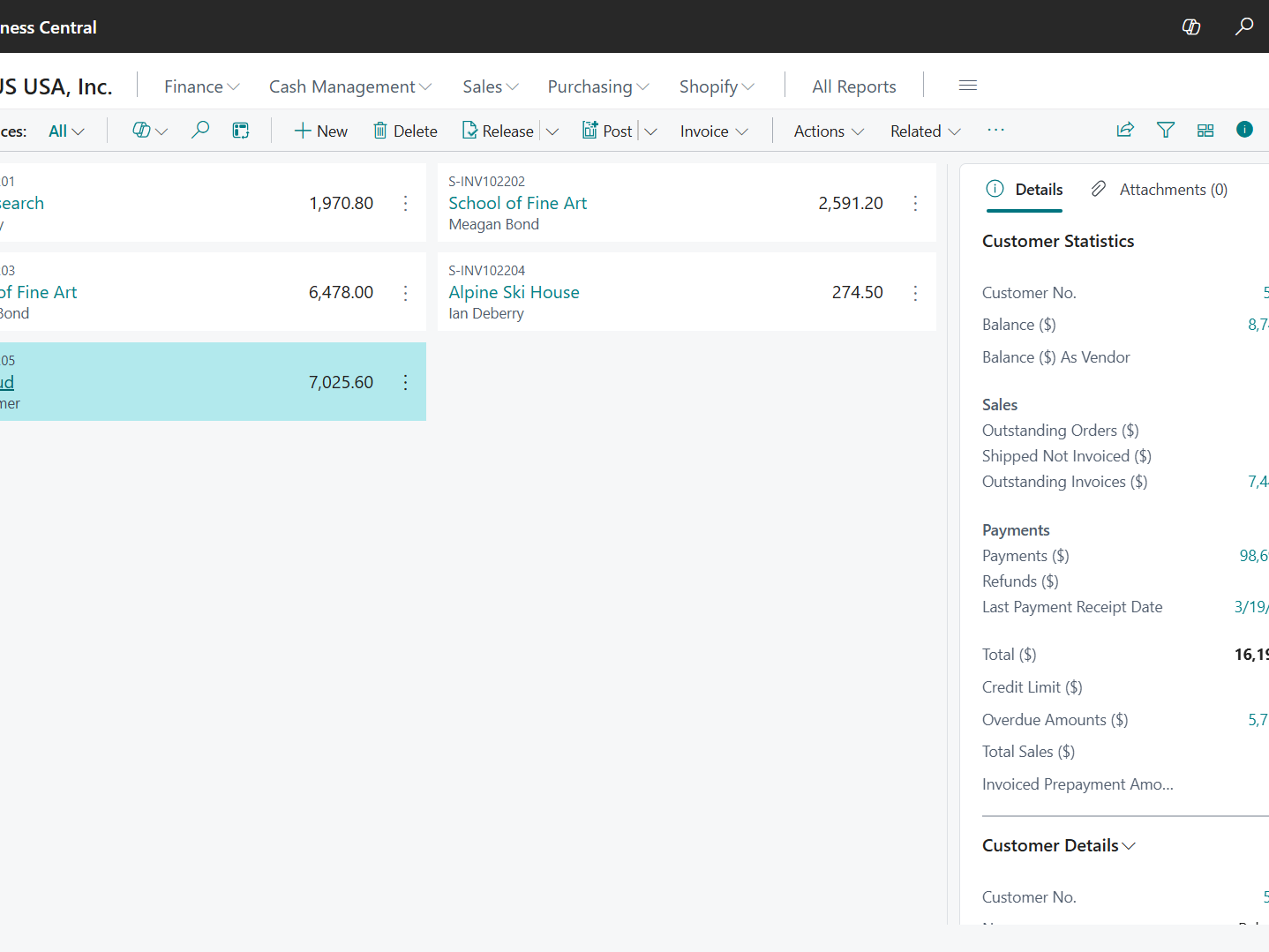
Review orders, invoices, and account activity in Salesforce before QBRs so conversations start with complete commercial context.
Prepare A Better Narrative
GPTfy assembles ERP and CRM signals into a concise brief so account managers can lead with evidence, not memory.
Customer Success, Surface Relationship Context
Bring Better Renewal Context
Customer success teams can use order and invoice history to understand account momentum before renewal and adoption conversations.
Catch Friction Before Meetings
Structured summaries help teams spot payment or fulfillment friction that could change the tone of a customer review.
Revenue Leaders, Trust Account Reviews More
Improve Account Visibility
Leaders struggle to assess account health when QBR preparation depends on CRM notes without ERP order and invoice evidence.
Standardize Review Readiness
GPTfy helps leaders bring consistent ERP-backed context into QBR preparation without another dashboard or reporting project.
Why Choose QBR Preparation
Faster QBR Prep
Help account teams gather order and invoice context without leaving Salesforce before customer reviews.
Stronger Review Quality
Ground QBR conversations in actual ERP and CRM evidence instead of fragmented notes.
76.3 OQA Quality Score
Use a validated prompt pattern designed to produce clear, structured QBR summaries from CRM and ERP data.
Powerful Capabilities
Prompt Builder
Create QBR preparation prompts for account management and customer success workflows inside Salesforce.
Data Context Mapping
Map Account, Opportunity, Contact, and related CRM fields so prompts use the right review context.
AI Data Sources
Pull live Sales Orders and Sales Invoices from Dynamics 365 Business Central.
Security Layer
Support reviewability and auditability for the ERP data used in each generated QBR brief.
Key Takeaways
- Customer Operations Intelligence helps teams prepare QBRs with live account truth from Salesforce and Business Central together
- Customer success teams gain stronger renewal context before account reviews
- Revenue leaders get better account health visibility with ERP-backed preparation
- Business Central data is fetched at runtime instead of copied into another store
- Prompt-driven briefs help teams lead QBRs with evidence instead of fragmented notes
Frequently Asked Questions
Teams can use sales orders and invoices from Dynamics 365 Business Central inside Salesforce to prepare more complete account reviews.
Yes. GPTfy can surface order and invoice context that helps teams understand account momentum, friction, and commercial history before renewal conversations.
GPTfy combines mapped Salesforce account context with live ERP data to generate structured QBR briefs grounded in the available order and invoice records.
GPTfy operates within Salesforce controls and uses configured access to external data sources, helping teams manage who can run prompts and review outputs.
Teams need the Dynamics 365 Business Central connector configured in Salesforce along with the relevant prompt, mapping, and access setup for QBR workflows.
Yes. GPTfy is designed to support reviewability of the data used in generated outputs, which matters when teams use ERP-backed summaries in account reviews.
See Account Truth for QBR Preparation
Book a 30-minute demo to see QBR preparation in Salesforce with live ERP context. No commitment required.
Related Use Cases
Dynamics 365 Account 360 ERP
Give teams a full account view with live ERP orders, invoices, and financials.
Dynamics 365 Financial Readiness
Check account payment health before proposals and renewals.
Dynamics 365 Purchase History Cross-Sell
Spot buying patterns that support more relevant expansion plays.
Deal Coach
Prepare account teams with better context before key conversations.